

Best Quiet Desk Fans for Office Work in Summer
Table of Contents
- Why Quiet Desk Fans Matter for Summer Office Productivity
- Key Features to Consider When Choosing a Quiet Desk Fan
- USB Powered Desk Fans for Office Use
- How to Keep Your Office Cool Without AC
- Top Quiet Desk Fans Ranked by Performance and Noise
- Comparison Table: Quiet Desk Fans at a Glance
- Maintenance and Long-Term Durability
- Conclusion
Last Updated: August 6, 2026
Why Quiet Desk Fans Matter for Summer Office Productivity
Summer heat doesn't just affect comfort, it directly impacts focus and output. When your office temperature climbs above 75°F, cognitive performance starts declining measurably. Air conditioning isn't always an option, whether you're in a rental, a co-working space, or a home office with limited cooling capacity. This is where quiet desk fans become essential. Unlike traditional AC units, they operate silently enough to maintain concentration while delivering targeted airflow exactly where you need it.
The challenge most office workers face is finding a fan that actually cools without becoming an auditory distraction. A loud fan defeats the purpose entirely, you're trading one discomfort for another. A truly quiet desk fan should operate below 50 decibels at normal speeds, deliver measurable airflow, and fit naturally into a professional workspace without dominating your desk real estate.
At ShopVerse.life, we've curated a selection of the best quiet desk fans specifically designed for summer office productivity. These aren't one-size-fits-all solutions. Some prioritize portability, others emphasize powerful circulation, and a few combine cooling with air purification. The right choice depends on your specific workspace constraints and cooling needs.
Key Features to Consider When Choosing a Quiet Desk Fan
Selecting the right quiet desk fan requires understanding several technical specifications that directly affect performance and usability. The most critical factor is the relationship between noise output and airflow delivery, you want maximum cooling with minimal distraction.
Noise Level and Decibel Ratings
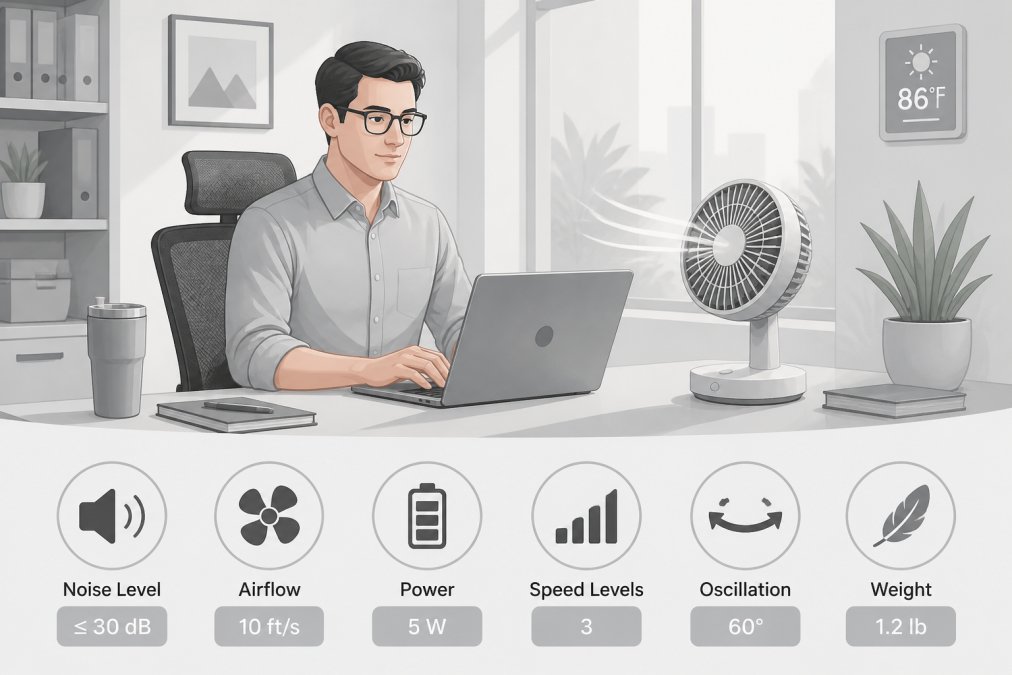
Decibel ratings determine whether a fan enhances or disrupts your work environment. A fan operating at 35-40 dB(A) is barely perceptible, similar to a quiet library. At 50 dB(A), you'll notice it but can still concentrate. Above 60 dB(A), the fan becomes intrusive and counterproductive for office work. The Rowenta VU2660 Turbo Silence Extreme+ achieves an impressive 35 dB(A) on its Silent Night mode, making it one of the quietest options available for desk use.
Brushless motors are the key technology behind whisper-quiet operation. Unlike traditional motors with brushes that create friction and vibration, brushless designs generate far less noise while maintaining efficiency. The OPOLAR Mini USB Desk Fan uses advanced brushless motor technology to keep noise below 50 dB(A) across all three speed settings.
Airflow and Circulation Performance
Raw airflow capacity, measured in cubic feet per minute (CFM), indicates how much air a fan moves. However, airflow alone doesn't guarantee effective cooling. A fan with 1700 RPM (revolutions per minute) pushing air at high velocity may cool you faster than a lower-RPM model with better air circulation patterns. The difference matters for personal fans versus desk fans meant to circulate room air.
Personal fans like the Vornado Zippi use proprietary Vortex air circulation technology to move air in concentrated patterns rather than simple forward thrust. This creates more effective personal cooling despite lower overall CFM ratings.
Desktop fans like the Rowenta VU2660 deliver up to 1695 cubic feet per minute with oscillating function, distributing air across a wider workspace area.
Design, Footprint, and Oscillation
Workspace real estate is precious. A compact personal fan occupies minimal desk space, typically 6-8 inches in height and 4-5 inches in width. Desktop fans are larger but offer oscillation, which distributes air across a wider area without requiring manual repositioning. Oscillation ranges from 45 degrees (limited side-to-side movement) to full 360-degree rotation on some models.
The footprint also affects stability. Heavier fans with wider bases resist tipping from vibration or accidental contact. Lighter portable fans sacrifice stability for convenience. The Honeywell HTF090B Turbo On The Go weighs just 0.49 lbs, making it ideal for travel, but requires careful placement to prevent tipping on uneven surfaces.
USB Powered Desk Fans for Office Use
USB-powered fans solve a fundamental office problem: they don't require a dedicated outlet. If your desk has USB ports from your computer, monitor, or a power bank, you can run a fan indefinitely without consuming additional wall power. This matters in open office environments where outlets are scarce and extension cords create safety hazards.
The ARCTIC Breeze Mobile exemplifies the USB fan category. It draws power from any USB-A port, operates at speeds up to 1700 RPM, and maintains virtually silent operation thanks to its flexible neck design. The adjustable neck lets you direct airflow precisely where needed, toward your face for personal cooling or toward your workspace for ambient temperature reduction.
USB fans typically deliver less airflow than AC-powered models due to power constraints. A USB port supplies 5 watts of power maximum, limiting motor performance. However, for personal cooling within arm's reach, this limitation rarely matters. The trade-off, less power consumption for greater desk flexibility, favors most office workers.
The OPOLAR Mini USB Desk Fan adds 360-degree rotation to the USB formula, letting you position it on your desk and adjust airflow direction without moving the entire unit. Three speed settings provide control over noise and power consumption. At its lowest setting, it operates below 40 dB(A), making it suitable for open offices or shared workspaces where noise sensitivity is high.
How to Keep Your Office Cool Without AC
When air conditioning isn't available, a strategic cooling approach combines multiple techniques. Quiet desk fans form the foundation, but layering additional strategies dramatically improves comfort and productivity.
Position your fan to create cross-ventilation. If your office has windows, open them during cooler morning and evening hours, then close them during peak heat to trap cool air. A fan positioned to pull cool air from outside and push it across your workspace amplifies this effect. This approach requires no electricity beyond the fan itself and costs nothing operationally.
Manage direct sunlight through window treatments. Thermal-blocking curtains or cellular shades reduce radiant heat gain by up to 25 percent. The investment in quality window treatments pays dividends throughout summer. Combined with a quiet desk fan, you'll maintain comfortable temperatures in spaces where AC installation isn't feasible.
Adjust your work schedule when possible. Working during cooler morning hours and taking breaks during peak afternoon heat reduces your exposure to the hottest periods. This behavioral adjustment, paired with a fan positioned for maximum personal cooling, often provides sufficient comfort without expensive retrofitting.
Stay hydrated and wear breathable clothing. Dehydration amplifies heat sensitivity and reduces cognitive performance. A water bottle at your desk, refilled throughout the day, maintains core hydration and improves thermoregulation. Lightweight, moisture-wicking fabrics allow perspiration to evaporate efficiently, enhancing the cooling effect of air movement from your fan.
Top Quiet Desk Fans Ranked by Performance and Noise
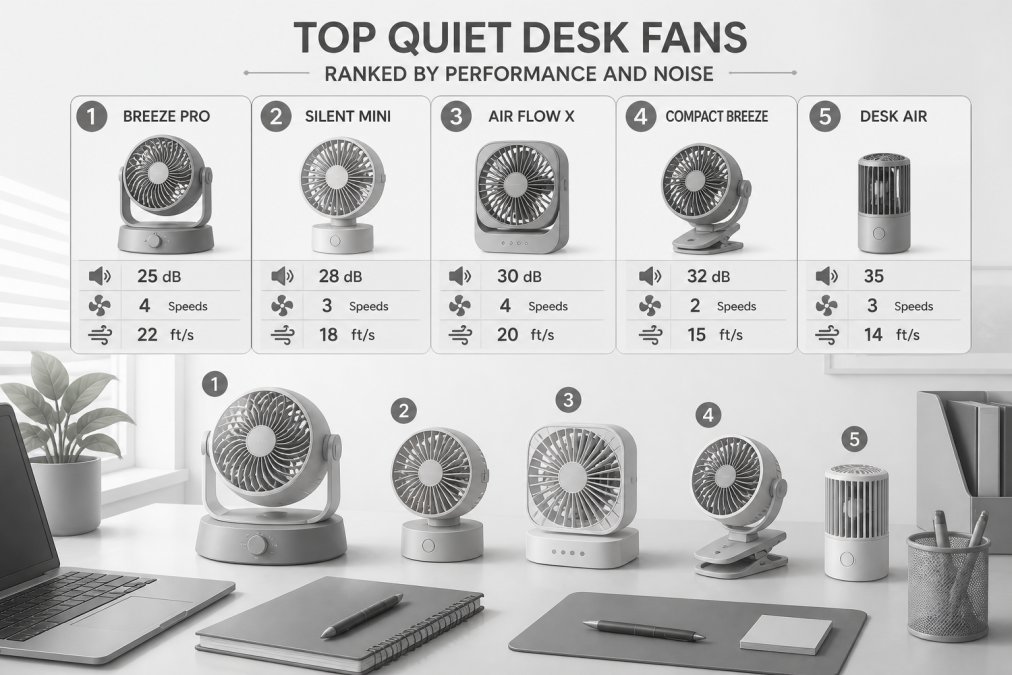
The following recommendations represent the best quiet desk fans currently available for office work, ranked by overall performance in real-world summer conditions. Each selection balances noise output, airflow delivery, and practical usability for professional environments.
Best Overall: Rowenta VU2660 Turbo Silence Extreme+
The Rowenta VU2660 stands apart as the most versatile quiet desk fan for office work. It delivers powerful airflow, up to 1695 cubic feet per minute, while maintaining an extraordinarily low noise floor of 35 dB(A) on its Silent Night mode. This combination is rare. Most fans force a choice between power and quiet operation. The Rowenta achieves both through precision engineering and advanced motor design.
Five speed settings provide granular control over noise-to-performance trade-offs. The Turbo Boost setting delivers maximum airflow for rapid cooling, while Silent Night mode runs almost imperceptibly for uninterrupted focus work. An oscillating head distributes air across your entire desk or workspace without manual repositioning. The included remote control eliminates the need to reach the unit to adjust settings.
Pros:
- Exceptional 35 dB(A) noise level on Silent Night mode
- Powerful 1695 CFM airflow for effective desk and room cooling
- Five speed settings with Turbo Boost and Silent Night modes
- Oscillating function for wider air distribution
- Remote control for convenient operation from your desk
Cons:
- Higher price point compared to compact personal fans
- Larger footprint requires dedicated desk or floor space
- Not portable, designed for stationary placement
Best for: Office workers who prioritize both quiet operation and powerful cooling, especially those with larger desks or shared workspace environments where noise sensitivity is critical.
Best Budget Option: ARCTIC Breeze Mobile
The ARCTIC Breeze Mobile delivers exceptional value for budget-conscious office workers. It provides USB-powered convenience without sacrificing quiet operation. The fan achieves its whisper-quiet performance through a flexible neck design that reduces vibration and an efficient motor running at up to 1700 RPM.
This fan excels in environments where outlets are limited. USB power means you can position it anywhere your computer's USB cable reaches. The flexible neck allows precise airflow direction, toward your face for personal cooling or across your desk for ambient temperature reduction. Setup takes seconds: plug into any USB port and adjust the neck to your preferred angle.
Pros:
- Extremely affordable price point
- USB-powered eliminates outlet dependency
- Virtually silent operation
- Flexible neck for customizable airflow direction
- Lightweight and portable
Cons:
- USB-only power limits placement if ports aren't available
- Lower airflow compared to AC-powered fans
- No speed settings, runs at single speed
Best for: Budget-conscious office workers, students, and remote workers who need quiet personal cooling without investing in larger equipment.
Best for Air Quality: Dyson Pure Cool Me
The Dyson Pure Cool Me combines personal cooling with air purification, addressing two office comfort challenges simultaneously. Its 360-degree sealed filtration system captures 99.97 percent of pollutants as small as 0.3 microns, including allergens, odors, and particulates. A HEPA filter handles fine particles while activated carbon removes gases and odors.
The Core Flow technology delivers a focused stream of purified and cooled air directly to your personal space. An LCD screen displays real-time air quality levels and filter life, letting you monitor when replacements are needed. The sleep timer function supports healthy sleep cycles if you use this fan in a bedroom environment.
Quiet operation at lower settings makes this suitable for focus work, though the premium price reflects its dual functionality. This fan justifies its cost primarily for office workers with allergies, asthma, or those in environments with poor air quality from external pollution or indoor air circulation issues.
Pros:
- Combines cooling with air purification
- 360-degree sealed filtration captures 99.97% of pollutants
- LCD display shows air quality and filter status
- Quiet operation at lower settings
- Sleep timer function
Cons:
- Significantly higher price point than standard fans
- Replacement filters are expensive
- Primarily for personal cooling, not whole-room circulation
Best for: Office workers with allergies or air quality concerns who need both cooling and purification in their personal workspace.
Best Compact Personal Fan: Vornado Zippi
The Vornado Zippi represents the pinnacle of compact personal fan design. Its soft, safe-to-touch cloth blades distinguish it from traditional rigid fan designs, making it ideal for shared workspaces or environments where accidental contact with spinning blades is a concern. The two-speed control provides essential flexibility between whisper-quiet operation and noticeable cooling.
An adjustable head tilts and swivels for multi-directional airflow without repositioning the entire unit. The compact form factor, approximately 6 inches tall and 4 inches wide, fits naturally into any desk setup without dominating visual space. When not in use, it folds down to a minimal footprint, making it portable for workers who move between locations.
Pros:
- Soft, safe cloth blades eliminate pinch hazards
- Compact and foldable design for portability
- Adjustable head for directional airflow
- Whisper-quiet operation
- Lightweight and easy to transport
Cons:
- Only two speed settings limit control options
- Designed for personal cooling, not whole-desk circulation
- Lower overall airflow compared to larger models
Best for: Mobile office workers, those in shared workspaces, and anyone prioritizing safety and portability over maximum airflow.
Best Portable Option: Honeywell HTF090B Turbo On The Go
The Honeywell HTF090B excels in portability through dual power options, USB or four AA batteries. This flexibility means you can operate it anywhere, whether you have access to power or not. The Turbo Force airflow is surprisingly powerful for such a compact design, delivering noticeable cooling felt up to 3 feet away.
A foldable carrying and hanging handle makes it genuinely portable. You can hang it from a desk lamp, clip it to a monitor arm, or carry it in a bag. The adjustable tilt head directs airflow precisely where needed. An energy-saving DC motor minimizes power consumption, extending battery life significantly compared to traditional motor designs.
Pros:
- Dual power options (USB and battery) for maximum flexibility
- Powerful Turbo Force airflow for its size
- Portable with foldable carrying handle
- Adjustable tilt head for directional cooling
- Energy-efficient DC motor
Cons:
- Single speed setting without adjustment options
- Batteries not included
- Limited airflow compared to larger desk fans
Best for: Travelers, remote workers who move between locations, and professionals who need cooling flexibility without permanent desk placement.
Comparison Table: Quiet Desk Fans at a Glance
| Fan Model | Noise Level | Airflow (CFM) | Power Source | Best For | Price Range |
|---|---|---|---|---|---|
| Rowenta VU2660 Turbo Silence Extreme+ | 35 dB(A) | 1695 | AC | Powerful quiet cooling with remote control | $147+ |
| ARCTIC Breeze Mobile | <40 dB(A) | ~500 | USB | Budget-conscious personal cooling | $9.95 - $16.99 |
| Dyson Pure Cool Me | Variable | ~300 | AC | Air quality + cooling combination | $349.99 |
| Vornado Zippi | Quiet | ~400 | AC | Compact safety-focused design | $24.99 |
| Honeywell HTF090B | Moderate | ~600 | USB/Battery | Portable multi-power flexibility | $14.47 - $20 |
| OPOLAR Mini USB Desk Fan | <50 dB(A) | ~400 | USB | Rotation + quiet USB convenience | $19.99 - $33 |
| Fancii Brise Personal Fan | Quiet | ~500 | USB Rechargeable | Rechargeable portability | |
| Woozoo Oscillating Circulator | Quiet | ~600 | AC | Remote-controlled oscillation |
Maintenance and Long-Term Durability
Quiet desk fans operate for years with minimal maintenance when properly cared for. Dust accumulation on blades and motor vents reduces efficiency and can increase noise levels over time. Monthly cleaning prevents performance degradation and extends motor life significantly.
For fans with removable grilles, gently wipe blades with a soft, dry cloth monthly. For models with enclosed designs, use a can of compressed air to blow dust from vents and motor areas. Never use water or liquid cleaners on electrical components, moisture and electronics are incompatible.
Motor longevity depends primarily on brushless versus brushed motor design. Brushless motors lack the friction points that wear down over time, making them inherently more durable. A quality brushless motor should function reliably for 5-7 years of regular use. Brushed motors typically last 3-4 years before performance degradation becomes noticeable.
Check power cords and plugs periodically for damage. A frayed or damaged cord poses electrical hazards and should be replaced immediately. USB fans with flexible cables should be inspected where the cable meets the fan body, as repeated flexing can cause internal wire damage.
Oscillating fans experience additional wear on the oscillation mechanism. Occasional application of a light machine oil to the pivot points reduces friction and extends mechanism life. Avoid over-oiling, which attracts dust and can create noise rather than reducing it.
Finding the right quiet desk fan transforms your summer office experience. The Rowenta VU2660 Turbo Silence Extreme+ delivers the performance and quiet operation that serious office workers demand, combining powerful airflow with a whisper-quiet 35 dB(A) noise level. At ShopVerse.life, we've carefully selected each fan on this list to meet specific needs, whether you prioritize portability, budget, air quality, or pure cooling power. All ShopVerse.life products come backed by our 100% secure payment guarantee and fast shipping, ensuring you get the right fan delivered quickly and with complete confidence in your purchase.
Frequently Asked Questions
How many decibels is considered a quiet desk fan?
Desk fans operating at 35-50 dB(A) are considered quiet for office environments. The Rowenta VU2660 runs as low as 35 dB(A) on Silent Night mode, comparable to a whisper. USB-powered desk fans like the ARCTIC Breeze Mobile and OPOLAR Mini operate virtually silently under 50 dB. Anything above 60 dB becomes distracting in a quiet office space. When shopping for quiet desk fans, check the decibel rating on the product specifications to ensure minimal disruption to your work.
Are USB-powered desk fans effective for office cooling?
USB-powered desk fans work well for personal cooling at your immediate workspace, though they deliver less airflow than AC-powered models. The ARCTIC Breeze Mobile and OPOLAR Mini provide focused airflow up to 3 feet away, making them ideal for directing cool air toward your face and upper body while working. They excel at keeping you comfortable without cooling an entire room. For summer office work where you're stationary at a desk, a USB-powered desk fan is often sufficient and offers the advantage of being powered directly from your laptop or power bank, eliminating cable clutter.
Which quiet desk fan is best for keeping an office cool without AC?
The Rowenta VU2660 Turbo Silence Extreme+ offers the strongest performance for cooling larger office spaces without AC, delivering up to 1695 cubic feet per minute of airflow with oscillation to distribute air widely. For personal desk cooling, the Honeywell HTF090B Turbo On The Go provides powerful airflow felt up to 3 feet away with flexible power options (USB or battery). If you need a budget-friendly option, the ARCTIC Breeze Mobile or Fancii Brise USB fans work for targeted personal cooling. Combine any desk fan with open windows, closing blinds during peak heat, and strategic fan placement to maximize cooling efficiency in an office without AC.
What's the difference between a table fan and a desk fan?
Desk fans are compact, lightweight, and designed for personal cooling at your workspace, typically with small footprints and lower airflow (under 500 CFM). Table fans are larger, sit on tables or floors, and deliver wider air circulation (often 1000+ CFM) for cooling larger areas. Desk fans prioritize quiet operation and portability, while table fans focus on power and coverage. For office work, quiet desk fans like the Vornado Zippi or OPOLAR Mini are better choices because they minimize noise distractions. Table fans suit bedrooms or living rooms where noise is less critical and broader cooling is needed.
This article was written using GrandRanker