

Best Smart Home Gadgets for Beginners: 2026 Guide
Table of Contents
- Best Smart Home Gadgets for Beginners: Quick Comparison
- Smart Speakers and Voice Assistants: Your Command Center
- Smart Lighting and Bulbs: Start with Illumination
- Smart Plugs and Outlets: Retrofit Any Device
- Smart Security Cameras and Doorbells: Protect Your Home
- Smart Locks and Entry Systems: Keyless Convenience
- Smart Thermostats and Climate Control: Energy Efficiency
- How to Start a Smart Home: Step-by-Step Setup Guide
Best Smart Home Gadgets for Beginners: 2026 Guide
Last Updated: July 10, 2026
Nearly 60% of new homeowners now install at least one connected device in their first year. The best smart home gadgets for beginners don't require complex wiring or technical expertise. ShopVerse.life has curated beginner-friendly smart home products that transform how people live without overwhelming setup processes.
The real challenge isn't finding smart devices, it's choosing ones that work together. Everything connects through an ecosystem, and picking the wrong entry point wastes money and creates frustration.
Best Smart Home Gadgets for Beginners: Quick Comparison
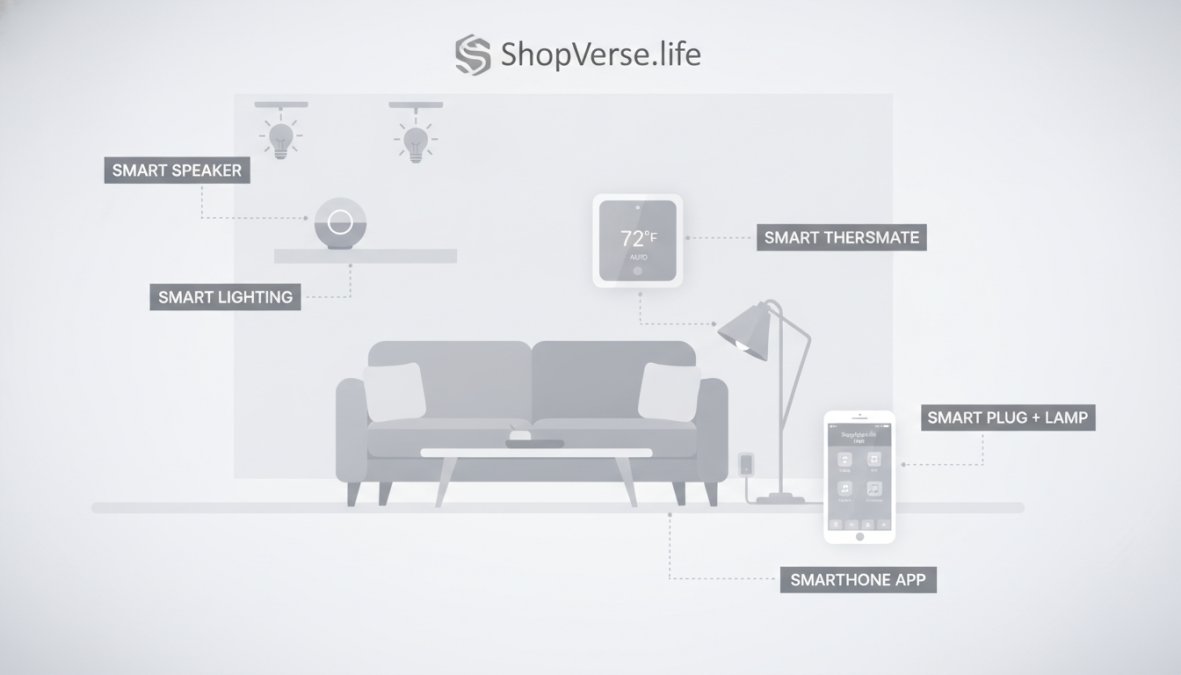
A successful smart home depends on three factors: ecosystem compatibility, ease of setup, and actual usefulness. A device that takes 30 minutes to configure and requires a separate app will sit unused. One that connects in five minutes and works with voice commands becomes part of your daily routine.
| Gadget | Starting Price | Best For | Ecosystem | Setup Time |
|---|---|---|---|---|
| Amazon Echo Dot (5th Gen) | $49.99 | Budget-conscious beginners | Amazon Alexa | 5 minutes |
| TP-Link Kasa Smart Plug Mini | $15.99 | Retrofitting existing devices | Multi-platform | 3 minutes |
| Philips Hue White & Color Ambiance | $129.99 | Premium lighting control | Philips ecosystem | 10 minutes |
| Aqara Camera Hub G5 Pro | $149.99 | Security + hub functionality | Matter/Thread | 8 minutes |
| Google Nest Thermostat | $129.99 | Energy savings with learning | Google Home | 20 minutes |
| Aqara U400 Smart Lock | $199.99 | Keyless entry | Apple HomeKit/Matter | 15 minutes |
Smart Speakers and Voice Assistants: Your Command Center
Your voice assistant acts as the brain of your smart home ecosystem. Without one, you'll toggle between multiple apps and lose the "smart" part of automation. A smart speaker lets you control lights, thermostats, and plugs through voice commands while serving as a hub that keeps devices connected.
The Amazon Echo Dot (5th Gen) remains the most practical entry point for beginners. At $49.99, it's affordable enough to test the concept without major investment. Setup takes five minutes: plug it in, open the Alexa app, and follow the prompts. The device connects to thousands of Alexa-compatible products, meaning your future gadget choices aren't locked into a single expensive ecosystem.
The Echo Dot's real value is the Eero mesh Wi-Fi extender built into newer models. This solves a common smart home problem: devices in far corners of your house lose connection. The Echo Dot extends your network while serving as your control hub.
You can create routines where saying "Goodnight" dims the lights, lowers the thermostat to 68 degrees, and locks the front door automatically. These routines transform individual gadgets into coordinated systems.
Smart Lighting and Bulbs: Start with Illumination
Smart lighting is where most people experience their first "wow" moment with home automation. Controlling lights from your phone or voice solves real problems: you can turn off lights without leaving bed, set schedules for vacation security, and adjust brightness without getting up.
The Philips Hue White & Color Ambiance Starter Kit ($129.99) represents the premium approach. It includes a bridge that connects bulbs via Zigbee, a more reliable protocol than Wi-Fi for devices needing instant response. The starter kit includes the bridge, power supply, and multiple bulbs that can produce millions of colors and adjust white tones from warm to cool.
You can create scenes like "Movie Mode" (dims to 10%, warm amber) or "Energize" (100% brightness, cool white). These trigger with a single voice command or button press.
The trade-off is cost. Hue bulbs run $15-25 each, and you need the bridge. For a three-bulb starter setup, expect $130-160. Cheaper Wi-Fi bulbs cost half as much but sacrifice reliability and drop connection more frequently.
Smart Plugs and Outlets: Retrofit Any Device
Smart plugs turn any device, lamps, fans, coffee makers, space heaters, into connected appliances without replacement or wiring. Plug a lamp into a smart plug, and suddenly you control it from your phone or voice.
The TP-Link Kasa Smart Plug Mini ($15.99) is the most practical option for beginners. "Mini" means it doesn't block adjacent outlets. The plug connects via Wi-Fi and works with both Alexa and Google Home. Setup is simple: plug it in, open the Kasa app, scan the QR code, and connect to your network. Within three minutes, you're controlling whatever device is plugged in.
The Kasa app lets you set schedules (turn the coffee maker on at 6:30 AM), create timers, and monitor energy usage. You can see exactly how much power each plugged device consumes, helping identify energy vampires.
Smart plugs enable automation recipes. Combine a Kasa plug with a motion sensor, and lights turn on automatically when you enter a room. A $16 plug unlocks possibilities that cost hundreds in purpose-built smart devices.
The limitation is honest: smart plugs only do on/off. They can't adjust brightness or settings on the device itself. For most devices, that's fine.
Smart Security Cameras and Doorbells: Protect Your Home
Home security is where smart devices deliver tangible peace of mind. A camera lets you check on your home from anywhere.
The Aqara Camera Hub G5 Pro ($149.99) solves a common beginner problem: it's a security camera AND a smart home hub. Most guides recommend buying a separate hub and camera. This combines both, saving money and space.
The camera shoots in 2K resolution with color night vision. It detects motion and sends alerts to your phone. The built-in hub connects other Aqara devices via Matter and Thread protocols, the emerging standards for reliable smart home connectivity.
The camera stores video locally on a microSD card (included) or in the cloud. Local storage means your footage isn't dependent on cloud servers, a genuine privacy advantage.
Smart Locks and Entry Systems: Keyless Convenience
Smart locks replace traditional keys with multiple entry methods: fingerprint, PIN code, mobile app, or Apple Home Key. They eliminate fumbling for keys while adding security logs showing who entered when.
The Aqara U400 Smart Lock ($199.99) is designed for beginners wanting modern convenience without complexity. It supports Apple Home Key, meaning you unlock your door with your iPhone or Apple Watch. It includes a fingerprint reader for instant access without devices.
Installation requires removing your existing deadbolt and installing the Aqara mechanism. This is DIY-friendly but takes 15-20 minutes and requires a screwdriver. If you're renting, check with your landlord first.
The lock stores up to 100 fingerprints, unlimited PIN codes, and mobile app access. You can grant temporary access to guests without giving physical keys. The activity log shows every entry.
A common mistake is buying a smart lock before establishing your smart home ecosystem. The lock needs to integrate with something, your phone, a voice assistant, or a home automation hub. Start with a smart speaker first, then add the lock.
Smart Thermostats and Climate Control: Energy Efficiency
A smart thermostat learns your schedule and adjusts temperature automatically, reducing energy waste. Unlike manual thermostats, they remember patterns and adapt to your behavior.
The Google Nest Thermostat ($129.99) is the most accessible option for beginners. It has a clean design, intuitive app, and integration with Google Home and Alexa. The learning feature tracks your temperature preferences over a few weeks, then automatically adjusts without your input.
Energy reports show how your usage compares to similar homes in your area, creating motivation to optimize. Most people see 10-15% reductions in heating and cooling costs, with payback in 1-2 years.
Installation typically requires a C-wire, a fifth wire in your HVAC system. Older homes sometimes lack this wire. Google provides detailed installation guides and customer support if you're unsure.
How to Start a Smart Home: Step-by-Step Setup Guide
Building a smart home isn't about buying the most devices, it's about choosing the right starting point and expanding methodically. Most failures happen because beginners buy random gadgets without a coherent plan.
Choose Your Ecosystem First
Your ecosystem is the foundation. The three major ecosystems are Amazon Alexa, Google Home, and Apple HomeKit. Amazon Alexa works with the widest range of devices. Google Home offers strong integration with Google services. Apple HomeKit prioritizes privacy and works seamlessly if you own iPhones, iPads, and Macs.
Matter is an emerging standard designed to work across ecosystems, but it's still developing. Don't choose your entire system based on Matter alone.
Pick one ecosystem and commit to it for at least the first year. Switching later requires replacing devices or buying bridges.
Select a Hub or Bridge Device
Your hub coordinates everything and stays powered on constantly. For Amazon Alexa, the Echo Dot (5th Gen) serves as your hub. For Google Home, the Google Nest Hub acts as the hub. For Apple HomeKit, an Apple TV or HomePod mini serves this role.
Some devices like the Aqara Camera Hub G5 Pro include hub functionality, eliminating the need for a separate purchase. Your hub needs reliable Wi-Fi and a constant power connection. Place it centrally in your home for best coverage.
Add Compatible Devices Gradually
After choosing your ecosystem and hub, add devices one at a time. This prevents overwhelm and helps you troubleshoot issues.
Start with one device that solves a real problem. Once the first device works reliably, add a second. Most people find that three to five devices represent the sweet spot, enough automation to feel useful, not so many that management becomes burdensome.
| Setup Phase | Timeline | Typical Devices | Expected Cost |
|---|---|---|---|
| Foundation | Week 1 | Smart speaker + hub | $50-150 |
| First automation | Weeks 2-4 | Smart plug or bulb | $15-130 |
| Second system | Weeks 5-8 | Thermostat or lock | $130-200 |
| Expansion | Months 3-6 | Additional plugs, sensors | $15-50 each |
Buying everything at once results in devices that don't work together and frustration. Slow expansion lets you learn the ecosystem and avoid wasting money on gadgets you don't actually use.
Matter and Thread Protocol Explained for Beginners
Matter is the emerging standard for smart home devices. It lets devices from different manufacturers communicate directly, breaking vendor lock-in. You're no longer forced to buy everything from one company.
Thread is a networking protocol that works alongside Matter. Devices using Thread create a mesh network, communicating with each other rather than relying solely on Wi-Fi. This improves reliability and reduces latency.
For beginners, the practical implication is simple: Matter and Thread devices will work better in the future. If you're buying a device today, prioritize ones with Matter support. They'll remain compatible even if you switch ecosystems later.
Privacy-First Smart Home Setup
Privacy concerns prevent some people from adopting smart home technology. These concerns are legitimate. Smart devices collect data about your home, habits, and routines.
A privacy-first setup minimizes data collection and keeps information local rather than in the cloud. Choose devices with local processing capabilities. The Aqara Camera Hub G5 Pro stores video locally on a microSD card rather than forcing cloud storage.
Use HomeKit if privacy is a priority. Apple's approach encrypts data end-to-end and processes much of it locally on your devices. Your home data doesn't pass through Apple's servers.
Disable cloud features you don't need. Review device privacy policies before buying. Some companies sell anonymized usage data. Others don't.
In practice, most beginners accept some data collection in exchange for convenience. The goal is informed choice, knowing what data you're sharing and making deliberate decisions about it.
Starting a smart home with the best smart home gadgets for beginners doesn't require expensive equipment or technical expertise. Begin with a smart speaker like the Amazon Echo Dot, add one device that solves a real problem, and expand gradually as you understand your needs. The combination of thoughtful ecosystem selection, compatible devices, and practical automation creates a home that works for you. Browse ShopVerse.life's collection of tested smart home products and start with confidence today.
Frequently Asked Questions
What is the best smart home device to start with for beginners?
Start with a smart speaker like the Amazon Echo Dot (5th Gen) at $49.99, it serves as your voice assistant and hub. Pair it with one smart plug ($15.99) to control a lamp or coffee maker, then add smart bulbs or a thermostat. This gradual approach lets you learn the ecosystem before investing heavily. Choose based on your existing devices: Alexa for Amazon users, Google Home for Android/Google ecosystem fans, or HomeKit for Apple device owners.
Do I need a hub for my smart home setup?
Not always. Many devices like smart plugs and some bulbs work directly via Wi-Fi without a hub. However, a hub (like IKEA DIRIGERA at $69.99 or Aqara Camera Hub G5 Pro at $149.99) provides better reliability, enables local control, and supports Matter and Thread protocols for future-proof connectivity. Hubs reduce latency and keep devices responsive even if your internet connection drops temporarily. They're especially valuable if you plan to expand beyond 10-15 devices.
How do I choose the best smart home ecosystem for beginners?
Consider what you already own: Amazon Alexa dominates if you use Amazon services; Google Home integrates seamlessly with Android and Google services; Apple HomeKit prioritizes privacy with local processing. Alexa has the widest device compatibility. Google Home offers excellent voice recognition. HomeKit provides end-to-end encryption but fewer compatible devices. Start with whichever ecosystem matches your smartphone and existing smart devices to minimize friction and maximize compatibility across your setup.
What smart home automation ideas work best for beginners?
Begin with simple automation recipes: Morning routine (lights gradually brighten, coffee maker starts), Away mode (lights turn off, thermostat adjusts, cameras activate), and Evening wind-down (lights dim, locks engage). Use your voice assistant app to set up these automation routines without coding. Start with 2-3 automations, then expand once you're comfortable. These recipes save time daily and demonstrate smart home value without overwhelming complexity or technical setup.
This article was written using GrandRanker