

Best Tech Gadgets for College Students Compared
Table of Contents
- The Essential College Tech Checklist: What You Actually Need
- Best Tech Gadgets for College Students Compared: Wearables and Smartwatches
- Best Tablets for Note-Taking and Digital Note-Taking
- Best Laptops for College Students 2025: What to Look For
- How to Compare College Tech Gadgets: Features That Matter
- Budgeting for Back-to-School Tech: What to Spend and Where
- Conclusion
- Frequently Asked Questions
Last Updated: September 21, 2026
The Essential College Tech Checklist: What You Actually Need
Building a college tech setup is a sorting exercise, not a shopping spree. A 2026 survey from EDUCAUSE's annual student technology report found that most undergraduates now own at least two internet-connected devices, yet the same students report that a single reliable laptop and a pair of noise-cancelling headphones do more for their grades than any gadget pile-up. This guide from ShopVerse.life compares the best tech gadgets for college students compared across categories, so you can spend on what actually earns its place in a dorm room.
Core Devices vs. Nice-to-Haves
A core device is any technology a student uses daily for coursework, communication, or sleep-quality health tracking: a laptop, a note-taking tablet, a charger you can trust.
| Category | Core or Nice-to-Have | Why It Matters |
|---|---|---|
| Laptop | Core | Handles every assignment, exam, and submission |
| Noise-cancelling headphones | Core | Protects focus in shared study spaces |
| Power bank | Core | Keeps devices alive through long campus days |
| Tablet | Core for note-takers | Replaces paper notebooks and textbooks |
| Smartwatch or tracker | Nice-to-have | Adds health and fitness tracking |
| Smart notebook | Nice-to-have | Bridges handwriting and cloud storage |
Best Tech Gadgets for College Students Compared: Wearables and Smartwatches
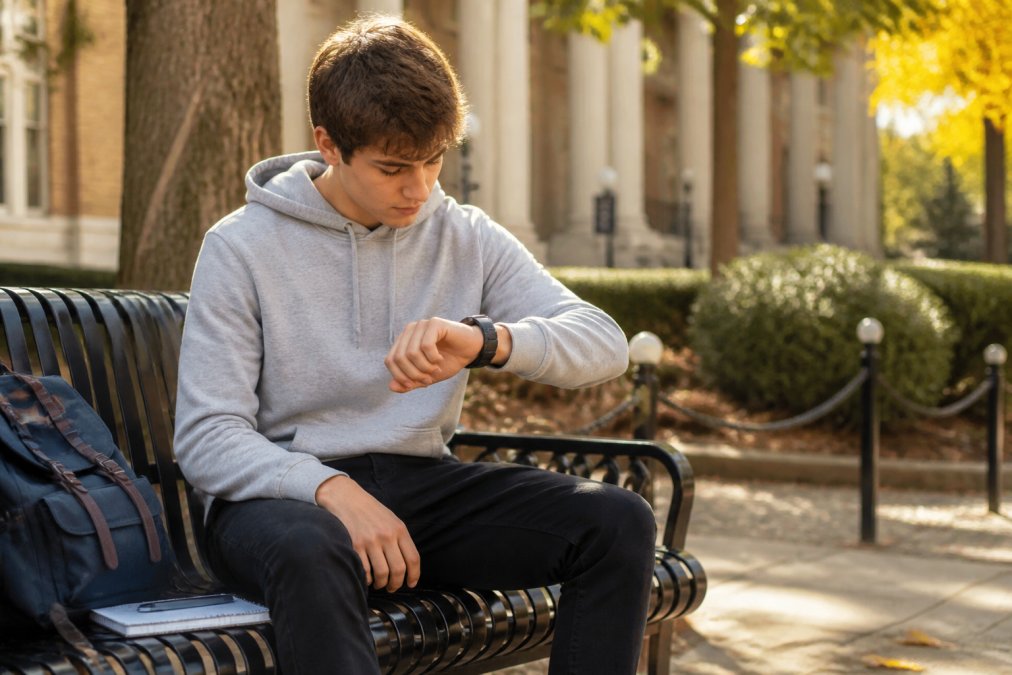
Wearables earn their spot when they replace something else you would carry. The right smartwatch handles calls, tracks workouts, and doubles as a fitness tracker, one less device in your backpack, and a safety tool for students who hike, climb, or run outdoors. Integrating these features into your daily routine provides a foundational layer of security that complements a broader array of personal safety tools designed to keep you protected across campus and beyond.
Rugged GPS Tracker Smartwatch for Outdoor Majors
The 2026 T-Rex3 Pro GPS Tracker Smartwatch is the pick for anyone whose coursework happens outside. Its integrated GPS retraces trail routes, its 10ATM waterproof, shock-resistant build shrugs off rain and impacts, and the 120-day standby battery means leaving the charger home on weekend trips. At $52.84, it costs less than a replacement phone case plus trail shoes.

Health-Focused Smart Bracelets and Watches
For everyday health tracking, the LIGE Smart Bracelet covers steps, distance, calories, heart rate, and blood oxygen in a waterproof band for Android and iOS at $59.10. The ZL02CPRO Smart Watch takes a similar approach at $47.98, adding Bluetooth calling and an IP67 rating so you can answer a call mid-workout. If style matters as much as sensors, the MEVADEN H33 pairs an 8.5mm stainless steel case with a 1.43-inch AMOLED screen, continuous heart rate monitoring, sleep analysis, and blood pressure measurement, at $68.86, the most polished option here.
| Model | Price | Standout Feature | Best For |
|---|---|---|---|
| T-Rex3 Pro | $52.84 | 120-day standby, 10ATM waterproof | Outdoor and field-work majors |
| LIGE Smart Bracelet | $59.10 | Heart rate and blood oxygen tracking | Everyday fitness tracking |
| ZL02CPRO | $47.98 | Bluetooth calling, IP67 rating | Budget-first buyers |
| MEVADEN H33 | $68.86 | 8.5mm stainless steel, 1.43-inch AMOLED | Style-conscious students |
| New Watch 5 | $52.02 | 2.01-inch AMOLED, 100+ sports modes | All-around daily use |
Best Tablets for Note-Taking and Digital Note-Taking
A tablet replaces three things at once: paper notebooks, printed textbooks, and loose handouts, which is why digital note-taking is the default for lecture-heavy majors.
How to Choose Between a Tablet and a Smart Notebook
A smart notebook is a reusable writing surface that digitizes handwriting and syncs it to an app, for students who think better with a pen but want searchable notes.
- Choose a smart notebook if you already take great handwritten notes and just want them backed up
- Choose a tablet if you want one device for textbooks, notes, and video
- Choose both only if your major involves heavy diagramming or lab sketches
Best Laptops for College Students 2025: What to Look For
The best laptops for college students 2025 buyers should prioritize three specs: battery life, weight, and port selection. A laptop that dies in a two-hour lecture is one you will resent by week three.
- 8GB of RAM minimum, 16GB if you run design or engineering software
- 256GB of storage minimum, or a cloud storage plan to offset a smaller drive
- A battery rated for at least 10 hours of mixed use
- At least two USB-C ports, ideally with charging support
The Spec Sheet Skips: Security and Campus Network Readiness
No competing guide covers this, and it is the gap that costs students most. A laptop holds your financial aid paperwork, student portal login, email, and every assignment you have written, and campus Wi-Fi is a shared network where basic security hygiene stops being optional. Four things to set up before your first week of classes:
- A password manager. Reusing one password across your student portal, email, and bank account is the most common way students lose access to everything at once. A manager stores a unique password per account, so one breach does not cascade; most offer a free tier that covers a student's needs.
- Multi-factor authentication on your school account. Most universities require it, but students often enable it only on email and skip the student portal and cloud storage. Turn it on everywhere it is offered.
- A VPN for public Wi-Fi. Coffee shops, libraries, and airport terminals expose unencrypted traffic. A VPN encrypts your connection so nobody on the same network can read what you send. Many universities provide one free, check your IT department's page before paying.
- Full-disk encryption. Both major laptop operating systems offer built-in encryption (FileVault on macOS, BitLocker on Windows). Turn it on. If the laptop is lost or stolen, encryption is the difference between a bad week and a stolen identity.
Backups: The Habit That Saves a Semester
A laptop failure the night before a final paper is due is the most predictable disaster in college tech. The fix is cheap and takes ten minutes.
- Your working files on the laptop itself
- A cloud sync service that backs up automatically (most universities provide unlimited storage, check before paying)
- An external drive or a second cloud service for a periodic full backup
How to Compare College Tech Gadgets: Features That Matter
Most comparison guides rank gadgets by spec sheet, but the specs that matter in a dorm are not the ones printed in bold on the box. The four factors below decide whether a device survives a semester, and the last one is the factor almost no competing guide covers.
2026 New T-Rex3 Pro GPS Tracker 1100mAh →
Battery Life, Portability, and USB-C Compatibility
Battery life is the spec students overestimate most. A device rated for 10 hours of mixed use typically delivers 6 to 7 once brightness is up, Bluetooth is on, and apps are syncing, subtract roughly 30% from the rated figure and ask whether the result covers your longest day. For three back-to-back lectures plus a library session, target a device rated for at least 12 hours, not 8.
The Spec Nobody Compares: Repairability and Longevity
Here is the angle missing from nearly every college tech guide: how repairable the device is. A student keeps a laptop for four years, not one. A cracked screen, swollen battery, or worn charging port on a device with no replaceable parts means replacing the whole machine, often mid-semester, often at full price.
Three practical checks before you buy:
- Battery replacement. Can a repair shop swap the battery, or is it glued in? A user- or shop-replaceable battery extends usable life by years.
- Parts availability. Does the manufacturer sell replacement screens, keyboards, and ports, or publish a repair guide? Brands that publish service manuals and sell parts directly make a four-year lifespan realistic.
- Software support window. How many years of OS and security updates does the device receive? A cheap laptop that stops receiving security patches in year three is a false economy.
| Feature | What to Check | Why It Decides the Purchase |
|---|---|---|
| Battery life | Rated hours minus ~30% | Determines if it lasts a full campus day |
| Portability | Full-load weight under ~1.5 kg | Determines if you actually carry it |
| Connectivity | Wi-Fi and Bluetooth version | Determines reliability in lecture halls |
| USB-C compatibility | Power delivery support and wattage | Cuts the chargers you must pack |
| Repairability | Battery, parts, and update window | Determines whether it survives four years |
Budgeting for Back-to-School Tech: What to Spend and Where
A workable back-to-school tech budget starts with core devices and treats everything else as optional. Spending on one dependable laptop and one pair of noise-cancelling headphones beats spreading the same money across five gadgets.
A simple allocation that works for most students:
- Laptop first, since every assignment runs through it
- Noise-cancelling headphones second, because focus is the scarcest resource in a dorm
- A power bank third, to extend the devices you already own
- A tablet or smart notebook fourth, if your major is note-heavy
- A wearable last, and only if fitness or field work is part of your routine
Conclusion
The hardest part of buying college tech is not finding gadgets, it is resisting the ones that solve a problem you do not have. Start with core devices, add wearables only when they replace something else, and check the specs that change daily use before the ones that look good on a box.
Frequently Asked Questions
What are the absolute must-have tech gadgets for college students?
A laptop is non-negotiable for coursework and research. After that, the essentials depend on your major and habits. A reliable smartwatch or fitness tracker helps with time management and health monitoring, especially during busy semesters. Noise-cancelling headphones or earbuds support focus in shared spaces. A portable charger keeps devices alive through long days. The essential college tech checklist starts with these core items, then adds specialty tools like tablets for note-taking or GPS trackers for outdoor fieldwork.
How do I choose the best laptop for a college student?
Start with your major and software needs. Engineering and design students need more processing power and dedicated graphics, while liberal arts students can prioritize portability and battery life. Look for at least 8GB of RAM, a solid-state drive, and USB-C compatibility for charging and data transfer. Screen size matters too: 13 to 14 inches balances portability and usability. Check the warranty and repairability score before buying, since four years of daily use will test any machine.
Are tablets worth it for college students compared to laptops?
Tablets work best as a companion device, not a laptop replacement. They excel at digital note-taking, reading textbooks, and sketching diagrams during lectures. The best tablets for note-taking offer stylus support and cloud storage sync, so your notes appear on your laptop instantly. However, writing long papers or running specialized software still requires a laptop. Many students use both: a laptop for heavy work and a tablet for class notes and reading.
How much should a college student spend on tech gadgets?
Budget around $500 to $1,200 total for essential tech if you are starting fresh. A capable laptop typically runs $400 to $800. Smartwatches and fitness trackers from brands like those on ShopVerse.life range from about $48 to $69, offering health monitoring and Bluetooth calling without breaking the bank. Allocate funds first to your laptop, then add accessories based on need. Student discounts and back-to-school sales can cut costs significantly if you shop at the right time.
What are the best noise-cancelling headphones for studying?
Look for over-ear headphones with active noise cancellation and at least 20 hours of battery life. In-ear models offer better portability but less isolation. Key features include Bluetooth multipoint pairing for switching between laptop and phone, a comfortable fit for long study sessions, and a wired backup option for when the battery dies. Noise-cancelling technology helps mask dorm noise, library chatter, and café background sound, making it easier to focus on coursework.