

How to Automate Home Office Lighting for Productivity
Table of Contents
- Why Automated Home Office Lighting Boosts Focus and Cuts Eye Strain
- What You'll Need Before You Automate Your Workspace Lighting
- Step 1: Set Measurable Lighting Targets for Your Workstation
- Step 2: Build a Circadian Lighting Schedule for Your Home Office
- Step 3: Layer Ambient, Task, and Accent Lighting Around Your Desk
- Step 4: Add Motion Sensor Lighting for Office Spaces and Break Areas
- Step 5: Automate Lights with Home Assistant for Full Control
- Home Office Lighting Automation Ideas for Calls, Breaks, and Deep Work
- Frequently Asked Questions
Last Updated: October 11, 2026
Why Automated Home Office Lighting Boosts Focus and Cuts Eye Strain
Learning how to automate home office lighting for productivity starts with one simple idea: your light should change with your day, not fight it.
That flat, unchanging light is a problem. It causes glare, eye strain, and that mid-afternoon slump.
The U.S. General Services Administration guide to lighting and productivity notes that good lighting design supports comfort and performance in workspaces.
The Productivity Case for Layered, Automated Light
Layered lighting is the practice of combining three light sources: ambient light for the whole room, task lighting for close work, and accent lighting for comfort and depth. Automation ties them together.
Most people run one bright overhead fixture. That single source creates shadows on the desk and glare on the screen. Layering solves both.
The payoff is real. Steady, even illumination helps you read, type, and focus for longer without strain.
What You'll Need Before You Automate Your Workspace Lighting
The right gear makes automation simple. The wrong gear locks you into one app and one brand. Here's the short list.
- Smart bulbs for lamps that need color temperature control
- Smart plugs for lamps that just need on/off and dimming
- A hub or bridge if you want devices from different brands to talk
- A motion sensor for hands-free control
- A smart speaker or app for voice and scene control
Smart Bulbs, Switches, and Hubs: Choosing Your Control Layer
Your control layer is how commands travel. There are three common paths.
- Wi-Fi devices connect straight to your router. Simple, but too many can slow your network.
- Hub-based systems use a bridge to link bulbs, sensors, and switches. More reliable and better for large setups.
- Bluetooth and thread devices work well for single rooms but need a hub for schedules.
For a home office, a hub-based system gives you the most flexibility. It lets you mix brands and run schedules even when your phone is off. The Federal Trade Commission advice on smart devices and privacy is worth a read before you connect anything to your network.
Step 1: Set Measurable Lighting Targets for Your Workstation
You can't automate what you can't measure. This is the gap most lighting guides skip: they tell you to make your desk "bright and comfortable," then leave you guessing. Set real numbers first, then program your lights to hit them.
The Three Numbers That Matter
Illuminance (brightness), measured in lux. For focused desk work like reading, writing, or detailed screen tasks, aim for roughly 300-500 lux at the work surface.
Color temperature, measured in kelvin (K). Cool light (around 4000-5000K) reads as crisp and alerting, which suits morning focus.
Glare and contrast ratio. The goal isn't zero reflection, it's keeping the brightest thing in your view from being dramatically brighter than everything else.
How to Measure Without Buying a Lab Kit
- Lux: a phone light-meter app gives a usable ballpark. Hold the phone flat at desk height, screen up, where your hands work.
- Color temperature: most smart-bulb apps display the kelvin value directly. Note the number you like instead of remembering "warm-ish."
- Glare: sit at eye level and look for the bulb or window reflected in your screen. That reflection is your glare test, and it's where most people forget to check.
Turn the Numbers Into Automation Inputs
Once you have targets, they become the values you type into scenes and schedules. A morning focus scene might be 450 lux at 4500K; an evening wind-down scene might be 120 lux at 2700K. Because you measured, you can tell whether an automation is actually working, or whether your "bright" scene is really only 180 lux. Recheck the desk reading once a season, since bulb output drifts and daylight changes with the year.
Step 2: Build a Circadian Lighting Schedule for Your Home Office
A circadian lighting schedule changes your light through the day to match your body's natural rhythm: brighter and cooler in the morning, dimmer and warmer at night. Most guides describe the idea but never show you how to build it. Here's a schedule with real values you can enter into an app, plus the steps to automate it.
A Copy-and-Program Schedule
| Time | Color Temperature | Desk Illuminance | Goal |
|---|---|---|---|
| 7-9 a.m. | 4500-5000K | 400-500 lux | Wake up, boost alertness |
| 9 a.m.-noon | 4000K | 400-500 lux | Deep focus |
| Noon-2 p.m. | 3500-4000K | 300-400 lux | Steady through the slump |
| 2-5 p.m. | 4000K | 400-500 lux | Second focus push |
| 5-8 p.m. | 2700-3000K | 150-250 lux | Wind down |
| After 8 p.m. | 2700K | Under 100 lux | Relax, protect sleep |
The kelvin and lux figures are working targets, not medical prescriptions. The National Institute of General Medical Sciences overview of circadian rhythms explains why light timing affects sleep and alertness, the practical takeaway is that bright, cool light early and dim, warm light late supports a normal daily rhythm.
How to Actually Automate It
The mechanism is the same across most systems: you create scenes (a saved set of brightness and color values) and then attach schedules that trigger them.
- Build one scene per row in the table. Name them by purpose, "Morning Focus," "Afternoon Push," "Evening Wind-Down."
- Create a schedule in your app or hub. Add a trigger for each start time and point it at the matching scene.
- Add a sunrise offset instead of a fixed clock time if you want the schedule to drift with the seasons. Many hubs let you set "30 minutes after sunrise" rather than a hard 7:00 a.m.
- Add a condition so scenes only fire on workdays, or only when you're home, to avoid lighting an empty room.
Device-Agnostic Setup Notes
- Smart bulbs give you full kelvin control, so they can hit every row in the table.
- Smart plugs and dimmers on a fixed-color lamp can only change brightness, you'll get the lux shifts but not the color shifts.
- A hub is what lets schedules run when your phone is off or you're away from home. Wi-Fi-only bulbs often depend on the app or cloud.
When to Override the Schedule
A circadian schedule is a default, not a cage. Keep a manual override, a wall switch, a remote, or a voice command, for late-night work, cloudy days when you need more light, or video calls that need a specific look. The best setup runs itself most of the day and gets out of the way when your actual needs change.
Step 3: Layer Ambient, Task, and Accent Lighting Around Your Desk
Build the room in three layers. Start with ambient lighting for overall glow, add task lighting at the desk, then finish with accent lighting for comfort.
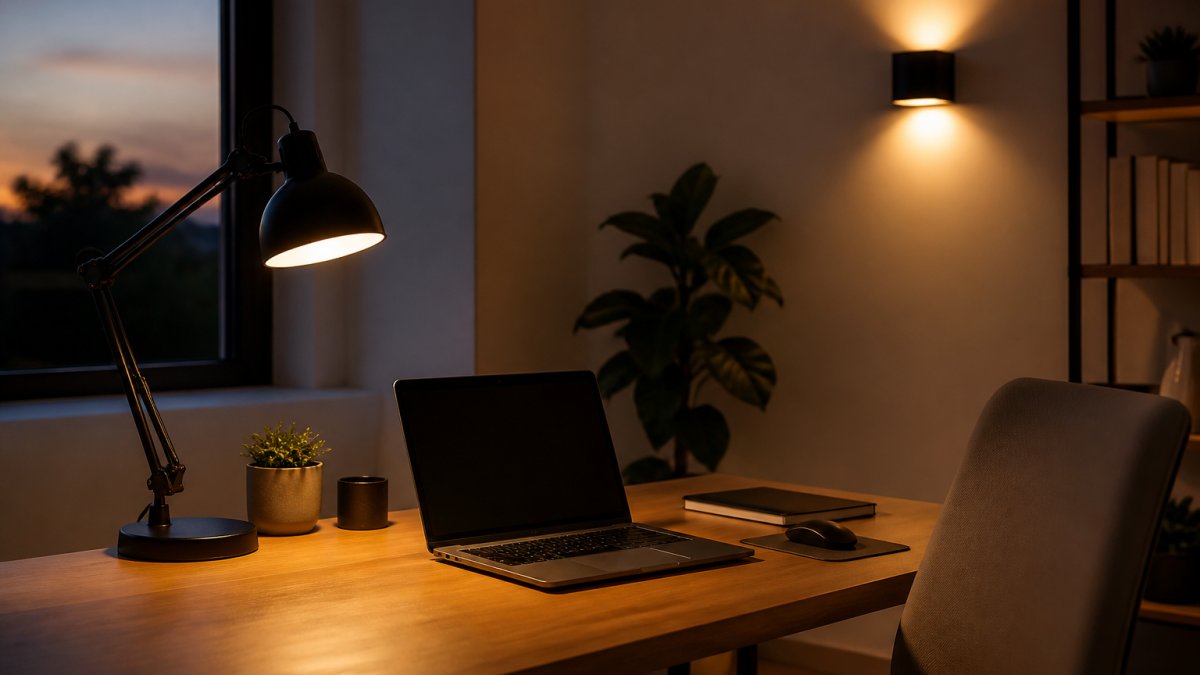
For the task layer, an adjustable desk lamp is the workhorse. The U.S. Department of Energy guidance on LED lighting notes that LEDs run cooler and use far less power than older bulbs.
1pc/2pc modern gold/black LED acrylic wall sconce for lustre living room back →
For that accent layer, our 1pc/2pc modern LED acrylic wall sconce casts light both up and down, which softens the room without adding screen glare.

Positioning Lights to Kill Glare and Screen Reflections
Placement matters more than wattage. Follow these rules:
- Put task lights to the side of your screen, not behind it
- Angle the lamp head down toward the desk, away from your eyes
- Keep ambient fixtures off the wall directly behind your monitor
- Use a shade or diffuser to soften any bare bulb
If you can see the bulb reflected in your screen, move the light. That's the whole test.
Step 4: Add Motion Sensor Lighting for Office Spaces and Break Areas
Motion sensor lighting for office spaces handles the rooms you walk through but don't sit in. Hallways, break areas, and the path to the kitchen.
The setup is simple:
- Mount the sensor where foot traffic crosses it
- Set a short on-delay, around 30 seconds
- Set a longer off-delay, around 5 minutes
- Link it to a warm, low scene
This keeps lights off when the room is empty. For a cordless option, our Magnetic Rechargeable 50 Wall Lamp installs without wiring and dims from a soft glow up to bright task light, so it works in a hallway or beside a reading chair.

Step 5: Automate Lights with Home Assistant for Full Control
To automate lights with Home Assistant, you install the software on a small hub device, add your lights and sensors, then build automations in its visual editor. It's the most flexible option because it works with thousands of devices across brands.
A basic automation looks like this:
- Trigger: time reaches 8:00 a.m.
- Condition: you're home
- Action: set desk lamp to cool, high brightness
You can stack triggers, add sunrise offsets, and build scenes for calls or focus blocks. The trade-off is setup time. Home Assistant rewards patience, but it isn't plug-and-play.
Home Office Lighting Automation Ideas for Calls, Breaks, and Deep Work
Automation shines when it matches your routines.
For breaks: a five-minute warm dim that signals your brain to step away.
For deep work: lock brightness high and color cool for a set block.
For evenings: shift everything warm and low an hour before bed.
These scenes work with almost any system, from a basic app to a full hub setup.
Frequently Asked Questions
How can smart lighting improve productivity in a home office?
Automated lighting keeps your workspace at consistent brightness and color temperature instead of drifting as daylight changes. A cool, bright setting supports focused work, while warmer, dimmer light signals wind-down time. Because schedules and scenes run on their own, you stop interrupting deep work to adjust lamps. Pairing even illumination with reduced glare also lowers visual fatigue, so you can stay at the desk longer without the headaches and squinting that come from uneven light.
What is the best lighting setup for a home office?
Use three layers: ambient light for the whole room, task lighting aimed at your desk surface, and accent light for comfort and depth. Keep your desk perpendicular to windows so daylight falls across the workspace rather than into your eyes. Add an adjustable lamp you can angle away from the screen, and set brightness so your monitor is not the brightest thing in view. A dimmable fixture like the Magnetic Rechargeable 50 Wall Lamp, which adjusts from 249 to 2000 lumens, gives you that range without wiring.
How do I automate lights with a smart bulb or switch?
Start by replacing bulbs or the wall switch on the circuit that feeds your office. Connect them to your chosen app, then create two or three routines: a morning schedule, a focus scene, and an evening wind-down. If you want motion sensor lighting for office use, add a sensor that triggers only during work hours so it does not fire at night. Keep one manual override, like a physical switch or voice command, so you are never stuck in an automation you did not want.
Can smart lights change color temperature throughout the day?
Yes, tunable white bulbs shift from cooler daylight tones in the morning to warmer light in the evening. That is the core of a circadian lighting schedule for a home office: bright and cool when you need alertness, warm and dim as the workday ends. Set the transitions to run gradually over 30 to 60 minutes rather than snapping between settings, and anchor the schedule to your actual start and end times so the light matches your routine instead of fighting it.
Building a lighting system that adapts to your day takes planning, but the payoff is fewer headaches, less eye strain, and steadier focus. ShopVerse.life curates the gear that makes it easy, from adjustable wall sconces and cordless lamps to smart-ready fixtures that fit a modern workstation. With fast shipping, secure payments, and a money-back guarantee, you can upgrade your setup with confidence. Shop All and start building a workspace that works as hard as you do.