

Standing Desk vs Sitting Desk for Lower Back Pain
Table of Contents
- Standing Desk vs Sitting Desk: Key Differences for Back Pain
- How Prolonged Sitting Affects Your Lumbar Spine
- How Long to Stand at a Standing Desk
- Best Ergonomic Gadgets for Remote Work Setup
- Ergonomic Desk Setup for Back Pain: Practical Steps
- Common Mistakes When Switching to a Standing Desk
- Frequently Asked Questions
Last Updated: September 30, 2026
Standing Desk vs Sitting Desk: Key Differences for Back Pain
The choice between a standing desk and a sitting desk fundamentally shapes your spinal health. The real question isn't which is universally better, but finding the ratio that works for your body.
Prolonged sitting compresses vertebral discs and tightens hip flexors; standing all day places sustained load on your lower back and feet. The answer is a sit-stand approach combining movement variability with strategic rest.
How Prolonged Sitting Affects Your Lumbar Spine
Sitting for extended periods shortens hip flexors, weakens glutes, and tilts your pelvis backward, flattening your lumbar curve and stressing vertebral discs and the sciatic nerve pathway.
Slouching increases lumbar spine load, disengages your core, and fatigues thoracic muscles. Over hours, this static loading compounds into chronic pain radiating down your legs or settling in your lower back.
The problem is lack of movement. Intervertebral discs rely on movement and pressure changes to absorb water and maintain elasticity. Eight hours of static sitting dehydrates them, increasing herniation risk.
People who sit more than 6 hours daily report significantly higher rates of lower back pain. The solution is to interrupt sitting with regular position changes and movement.
How Long to Stand at a Standing Desk
Optimal standing duration depends on your baseline fitness, desk setup, and spinal condition. Ergonomic research converges on a specific protocol that minimizes static loading while avoiding fatigue.
The Evidence-Based Sit-Stand Ratio
The most widely supported model is the 45-minute sitting / 15-minute standing / 5-minute movement cycle. This balances disc rehydration with the fatigue from sustained standing.
If transitioning from all-sitting, this ratio is too aggressive. A more conservative entry point is:
- Week 1-2: 15 minutes standing per hour (45 sitting, 15 standing)
- Week 3-4: 20 minutes standing per hour (40 sitting, 20 standing)
- Week 5+: 30 minutes standing per hour (30 sitting, 20 standing, 10 moving)
This gradual progression allows your feet and lower back to adapt without triggering pain that causes you to abandon the standing desk entirely.
Why This Ratio Works
Intervertebral discs are avascular and rely on osmotic pressure changes to absorb water and nutrients. Sitting more than 45 minutes continuously dehydrates discs; standing more than 20-25 minutes places sustained shear load on lumbar facet joints and creates compensatory tension up your kinetic chain.
The 10-minute movement window resets muscle tension and gives discs a true pressure relief cycle. Stationary standing without movement is biomechanically similar to stationary sitting.
Individual Variation and Pre-Existing Conditions
People with disc herniation or sciatica often experience increased symptoms when standing. If you have sciatic nerve irritation, start with only 10 minutes of standing per hour and increase slowly, as aggressive standing can amplify pain signals.
People with spinal stenosis often find standing relieves symptoms because sitting's forward lean compresses the canal further. Still incorporate sitting breaks to avoid foot fatigue.
People with knee or ankle pain should reduce standing duration or add a standing desk mat and supportive footwear. Lower body joint issues cause lumbar spine compensation.
The Movement Component Is Non-Negotiable
Do not skip the 10-minute movement window. The benefit of a standing desk comes from variability, changing positions and incorporating movement. Motionless standing transfers the problem to your feet and knees.
Posture Corrector Back Brace Adjustable →
Best Ergonomic Gadgets for Remote Work Setup
A standing desk setup involves more than the desk itself. Your footwear, floor surface, and postural support tools directly determine whether standing reduces or worsens your lower back pain.
Footwear: The Foundation of Standing Desk Success
Standing in flat-soled shoes or unsupportive footwear is a primary reason people experience lower back pain when transitioning. When arches collapse or heels lack cushioning, ankles pronate inward, knees rotate, and pelvis tilts, cascading into lower back strain.
Invest in shoes with arch support, heel cushioning (at least 1 inch), rigid heel counter, and breathable upper. The cost is far less than chronic foot or compensatory lower back pain.
Floor Surface and Standing Desk Mats
Standing on hard floors for 8 hours creates repetitive impact that fatigues feet and lower back. A standing desk mat reduces impact and encourages micro-movements throughout the day.
Look for mats that are:
- At least 0.75 inches thick (thinner mats provide minimal cushioning)
- Anti-fatigue textured surface (encourages weight shifting and proprioceptive engagement)
- Beveled edges (prevents tripping)
- Non-slip base (prevents sliding on hard floors)
Anti-fatigue mats make standing slightly unstable, forcing stabilizer muscles to engage continuously.
Postural Support During Transition
Core Strengthening for Sustained Alignment
Effective core exercises for desk workers include:
- Ab wheel rollouts (engages deep stabilizers under load)
- Dead bugs (teaches core stability while limbs move)
- Bird dogs (single-leg stability, mimics standing balance)
- Planks with weight shifts (dynamic stability, not static holding)
Muscle Recovery and Tension Release
Use a foam roller on:
- Calves (2-3 minutes per leg, 3-4 times per week)
- Hip flexors (2 minutes, 3-4 times per week)
- Thoracic spine (2-3 minutes, 3-4 times per week)
Ergonomic Desk Setup for Back Pain: Practical Steps
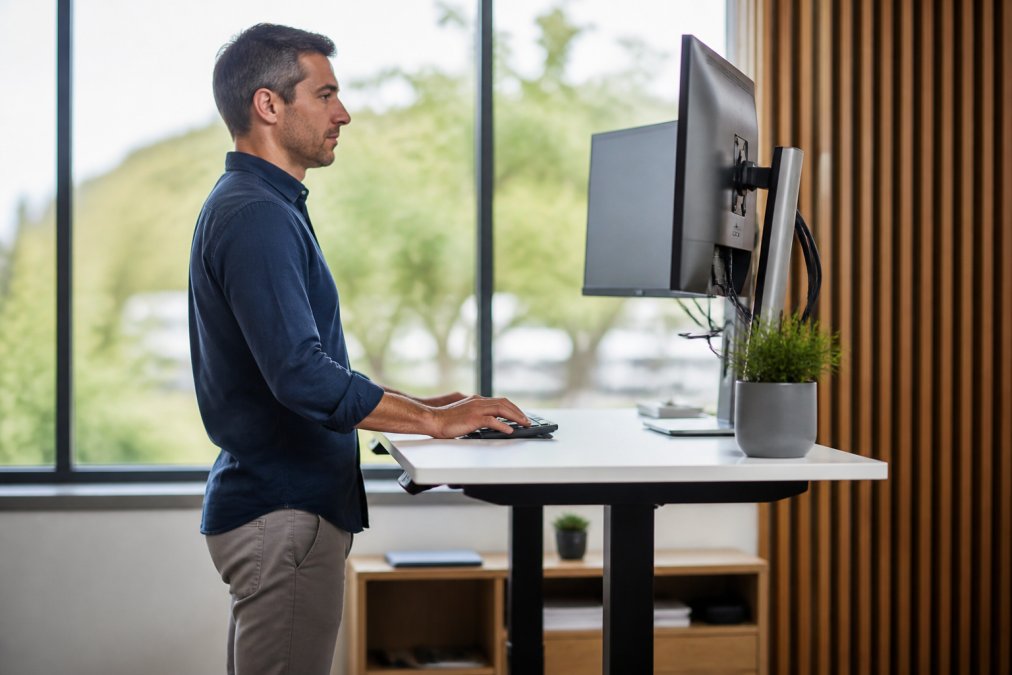
Correct desk height is the foundation. Elbows should bend at 90 degrees on the keyboard; monitor at eye level, arm's length away. Too low causes forward hunching; too high causes neck extension and thoracic tension.
| Setup Element | Sitting Position | Standing Position | Key Adjustment |
|---|---|---|---|
| Desk Height | Elbows 90°, forearms parallel to floor | Elbows 90°, forearms parallel to floor | Measure from elbow to floor |
| Monitor Height | Top of screen at eye level | Top of screen at eye level | Use monitor arm for flexibility |
| Chair/Mat | Lumbar support, feet flat | Standing mat, supportive shoes | Distribute weight evenly |
| Posture | Neutral spine, shoulders relaxed | Knees slightly bent, hips neutral | Avoid slouching or overextension |
| Movement | 30 minutes per cycle | 20 minutes per cycle | Switch every 20-30 minutes |
Common Mistakes When Switching to a Standing Desk
The biggest mistake is standing too much, too fast. People jump to 50% standing immediately, experience foot and lower back pain, and abandon the desk within a week. Gradual transition starting at 15-20 minutes per hour prevents this.
Frequently Asked Questions
Is a standing desk actually better for lower back pain than sitting?
Neither standing nor sitting alone is ideal for lower back pain relief. The key is movement variability. Prolonged static sitting increases vertebral disc pressure and causes muscle fatigue, while standing for extended periods without proper support creates similar strain on the lumbar spine. Research shows that alternating between sitting and standing throughout the day, using the 20/8/2 rule (20 minutes sitting, 8 minutes standing, 2 minutes moving), reduces chronic pain more effectively than either position alone. Neutral spine alignment matters more than the desk type itself.
How long should I stand at a standing desk each day?
Most ergonomic experts recommend starting with 20-30 minutes of standing per 2-hour work block, then gradually increasing as your body adapts. The 20/8/2 rule provides a practical framework: sit for 20 minutes, stand for 8 minutes, then move or stretch for 2 minutes. This cycle prevents static loading on your vertebral discs and maintains core engagement. Avoid standing for more than 1-2 hours consecutively, as prolonged standing without movement creates the same postural strain as prolonged sitting, just in different muscle groups.
What ergonomic gadgets should I use with my standing desk for back pain?
Essential ergonomic gadgets include a monitor arm (to position your screen at eye level and reduce thoracic spine strain), an anti-fatigue mat (to reduce joint stiffness when standing), and a posture corrector or back brace for additional lumbar support during transitions. The Posture Corrector Back Brace ($64.48) provides targeted support for neutral spine positioning with adjustable straps for personalized fit. Complementary tools like the 30cm Yoga Column Foam Roller ($28.34) help release muscle tension after work, while the Abdominal Wheel Ab Roller ($23.86) strengthens your core, essential for supporting your lumbar spine during both sitting and standing.
What setup mistakes do people make when switching to a standing desk?
Common errors include standing too long without breaks (causing sciatic nerve irritation and muscle fatigue), positioning the monitor too low (forcing slouching and poor thoracic spine alignment), and wearing unsupportive footwear on hard flooring (increasing vertebral load). Many people also skip the transition period, jumping from 8 hours of sitting to 4 hours of standing causes acute lower back pain. Start with 20-30 minute standing intervals, ensure your desk height allows neutral wrist and elbow position, and use an anti-fatigue mat to reduce impact on your lumbar spine. Gradually increase standing time over 2-3 weeks.