

Best Price Tracking Apps for Electronics in 2026
Table of Contents
- How Price Tracking Works for Electronics
- Key Features to Look for in a Price Tracker
- How to Set Up Price Drop Alerts
- Using a Price History Tracker for Smart Buying
- Tips for Finding Electronics Deals
- Browser Extensions vs. Mobile Apps: Which Works Better
- Privacy and Security Considerations
- Conclusion
Last Updated: August 22, 2026
How Price Tracking Works for Electronics
Price tracking is the automated process of monitoring product prices across multiple retailers in real-time, alerting you when prices drop below your target threshold. Unlike manual price checking, price tracking apps consolidate this data and notify you instantly when opportunities emerge.
When you add a product to a price tracker, the app's algorithm continuously monitors that item across compatible retailers, comparing current prices against historical data and flagging significant drops. This is especially valuable for electronics, where prices fluctuate dramatically around major shopping events. According to IncreoScale's price tracking analysis, retailers routinely adjust prices by 10-20% around major shopping events, and some raise prices temporarily before sales to make discounts appear larger.
Amazon has officially overtaken Best Buy in the consumer electronics space in 2025, accounting for 31% of overall sales in select categories compared to Best Buy's 27%, according to Numerator's Consumer Electronics Tracker. With multiple major players competing aggressively on price, a single tracker can reveal savings of hundreds of dollars on major purchases. The best price tracking apps integrate with retailer APIs, use web scraping, or employ browser extensions to capture pricing data across thousands of retailers.
Key Features to Look for in a Price Tracker
Real-time price monitoring across your preferred retailers is the most critical capability, since electronics prices can change multiple times daily. Automated price drop alerts let you set a target price and receive notifications when that threshold is hit, with customizable frequency and channels, email, push notification, or SMS.
Historical price data analysis is essential. A price history chart shows whether today's price is genuinely a deal or just a temporary dip in a broader upward trend. Tools that display 30, 60, or 90-day price histories help you identify real patterns versus noise.
Coupon code auto-apply functionality saves significant time and catches discounts you'd otherwise miss. Cross-platform compatibility matters more than most guides acknowledge, you need price tracking on your phone while shopping in-store, on your desktop while researching at home, and accessible via browser extension while browsing retailer websites.
How to Set Up Price Drop Alerts
Setting up effective price drop alerts requires establishing a realistic threshold based on historical data rather than wishful thinking. Start by adding the product to your tracker via search, model number, or retailer link. Once added, you'll see its current price and price history chart.
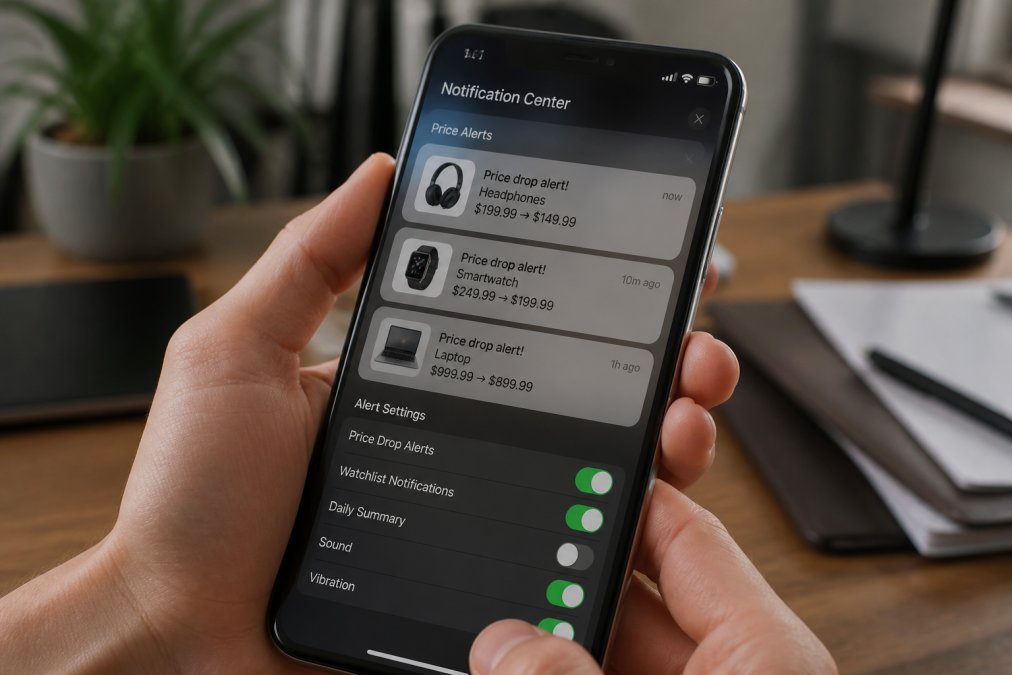
Set your target price based on historical data. If a product has ranged between $299 and $349 over the past 60 days, a realistic target is 10-15% below the recent average, which typically represents a genuine deal. Most trackers let you set multiple alerts at different price points for a tiered approach.
Configure your notification preferences, daily digest emails work well for multiple products, while push notifications suit single high-value items. Test your alert by verifying notifications actually arrive, and review your alerts quarterly as seasons change and new models release.
Using a Price History Tracker for Smart Buying
A price history tracker transforms you from a reactive shopper to a strategic one. Instead of buying when you need something, you buy when the price is genuinely favorable relative to its historical pattern.
Price history charts reveal patterns that raw numbers can't convey. A product steadily declining in price differs from one that just dropped sharply after holding steady. Use historical data to identify seasonal patterns, electronics prices often dip in August (back-to-school), November (Black Friday), January (post-holiday clearance), and April (tax refund season).
Compare the current price against the historical low, the 30-day average, and the 90-day average. This gives you context for whether today's price is objectively good or just better than yesterday's inflated price.
Tips for Finding Electronics Deals
Finding genuine electronics deals requires strategy beyond passive price tracking. Subscribe to deal aggregation sites like Slickdeals and RetailMeNot, which surface community-identified deals before they become widely known. Retailer emails alert you to flash sales and category-specific promotions.
Understand that major retailers use predictable promotional calendars. Amazon Prime Day, Best Buy's sales events, and Walmart's clearance cycles follow patterns that let you time purchases strategically.
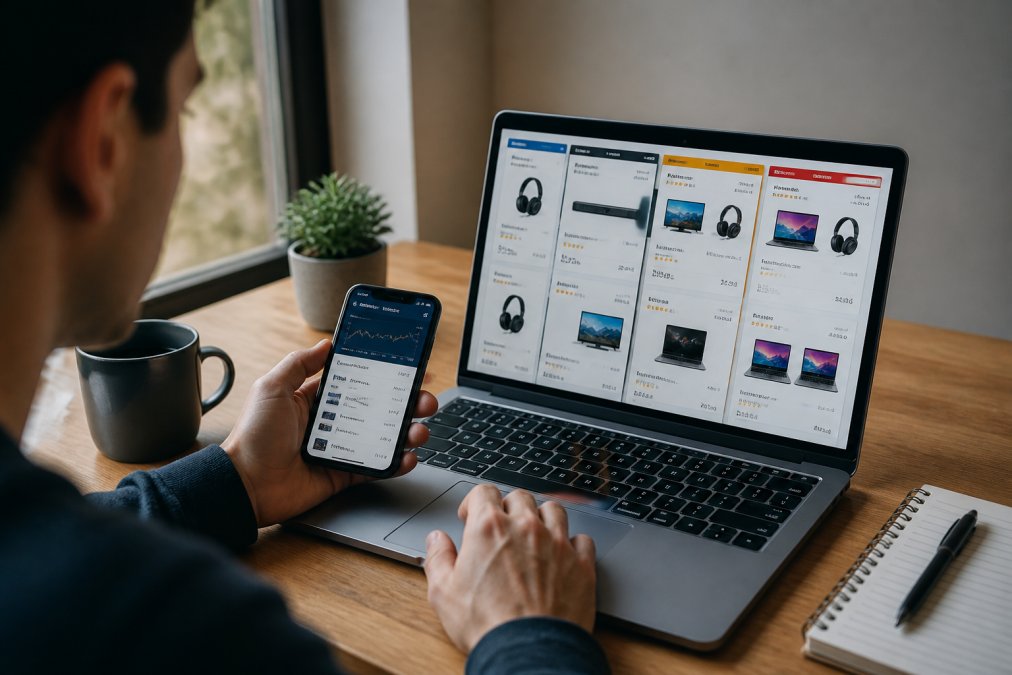
Layer multiple discount sources, a product might have a manufacturer coupon, retailer coupon, cashback opportunity, and temporary price reduction simultaneously. Track specific models rather than categories; "I want a MacBook Air M3 13-inch in silver" gives your tracker a specific target and avoids category-wide noise.
Set up price drop alerts for items you're considering but not yet ready to buy. After tracking for a few weeks, you'll have genuine context for making a purchase decision.
Browser Extensions vs. Mobile Apps: Which Works Better
Browser extensions excel at real-time comparison while you're actively shopping. The extension instantly shows price history, competitor prices, and available coupons without leaving the page. The limitation is they only work on desktop and can't push notifications to your phone.
Mobile apps work anywhere and send push notifications, but require manually searching for or adding products rather than capturing them automatically. The optimal approach is using both: install the browser extension on your primary shopping device for passive tracking, and use the mobile app for setting alerts on high-value items and checking prices while shopping in physical stores.
Privacy and Security Considerations
Price tracking apps require access to your browsing data or shopping history. Browser extensions have the broadest access and can see every website you visit and every price you check. Read the privacy policy carefully before installation.
Mobile apps typically require less invasive permissions, location, contacts, and notification permissions. Some request camera or photo access, which should raise red flags for a price tracking app.
The most important consideration is whether the tracker uses HTTPS encryption for all data transmission. Check the URL bar; it should show a padlock icon and begin with "https://" rather than "http://".
Avoid trackers requiring you to create an account with your email and password, then reuse that password across multiple sites. Use unique passwords for each service, or use a password manager that generates and stores unique credentials automatically.
The most reputable trackers are transparent about data usage, store data securely, and don't sell your information to third parties. Check user reviews specifically for privacy concerns before installation.
The price tracking landscape has matured significantly, with tools now offering sophisticated features that make finding electronics deals genuinely effortless. The market for price comparison apps is projected to grow at a CAGR of 9.63% to reach $8.12 billion by 2032, according to 360iResearch's market forecast, reflecting how essential these tools have become for deal-conscious shoppers.
The best price tracking apps for electronics combine real-time price monitoring, historical data analysis, automated alerts, and coupon integration into a seamless experience. Whether you prioritize browser extension convenience, mobile app flexibility, or both, the tools available today make it inexcusable to overpay for electronics. At ShopVerse.life, we recognize that informed shoppers who understand pricing patterns and use tracking tools strategically make better purchasing decisions, and our curated electronics selection combined with competitive pricing rewards that diligence with genuine value and a money-back guarantee that ensures your satisfaction.
=== FAQ ANSWERS (audit these too, same rules) ===
[1] Q: What is the best app to keep track of prices for electronics? A: Karma stands out as a highly-rated price tracking app, combining price alerts, automatic coupon application, and cashback in one free browser extension and mobile app. For Amazon-focused shoppers, CamelCamelCamel and Keepa offer specialized price history tracking with detailed charts. The right choice depends on which retailers you shop most, Karma excels for cross-retailer tracking, while Amazon-specific tools provide deeper historical data for that platform alone.
[2] Q: How do price history trackers work for electronics? A: Price history trackers monitor product pages and record price changes over time, creating visual charts that show how prices have fluctuated. For electronics specifically, these tools capture data from major retailers like Amazon, Walmart, and Best Buy, where prices can shift multiple times daily due to market volatility and competitor pricing. This historical data helps you identify price patterns, seasonal trends, and the best times to buy before prices rise again.
[3] Q: Can price tracking apps automatically alert me when a product goes on sale? A: Yes. Most price tracking apps offer automated price drop alerts that notify you via email, push notification, or in-app message when a product falls below your target price. You set a threshold alert for the maximum price you'll pay, and the app monitors in real-time. This automation saves time compared to manually checking prices daily, especially important for electronics where prices change frequently around major shopping events.
[4] Q: Are price tracking apps safe to use for online shopping? A: Reputable price tracking apps use encryption and secure connections to protect your data. However, no single tool covers every retailer perfectly or provides absolute accuracy. For expensive electronics purchases, cross-check prices across at least three different trackers before buying to catch potential data errors or price differences. Read privacy policies carefully, some apps collect browsing data to improve recommendations, which is worth understanding before you use them.
Frequently Asked Questions
What is the best app to keep track of prices for electronics?
Karma stands out as a highly-rated price tracking app, combining price alerts, automatic coupon application, and cashback in one free browser extension and mobile app. For Amazon-focused shoppers, CamelCamelCamel and Keepa offer specialized price history tracking with detailed charts. The right choice depends on which retailers you shop most, Karma excels for cross-retailer tracking, while Amazon-specific tools provide deeper historical data for that platform alone.
How do price history trackers work for electronics?
Price history trackers monitor product pages and record price changes over time, creating visual charts that show how prices have fluctuated. For electronics specifically, these tools capture data from major retailers like Amazon, Walmart, and Best Buy, where prices can shift multiple times daily due to market volatility and competitor pricing. This historical data helps you identify price patterns, seasonal trends, and the best times to buy before prices rise again.
Can price tracking apps automatically alert me when a product goes on sale?
Yes. Most price tracking apps offer automated price drop alerts that notify you via email, push notification, or in-app message when a product falls below your target price. You set a threshold alert for the maximum price you'll pay, and the app monitors in real-time. This automation saves time compared to manually checking prices daily, especially important for electronics where prices change frequently around major shopping events.
Are price tracking apps safe to use for online shopping?
Reputable price tracking apps use encryption and secure connections to protect your data. However, no single tool covers every retailer perfectly or provides absolute accuracy. For expensive electronics purchases, cross-check prices across at least three different trackers before buying to catch potential data errors or price differences. Read privacy policies carefully, some apps collect browsing data to improve recommendations, which is worth understanding before you use them.
This article was written using GrandRanker