

How Long Does It Take to Set Up Smart Home
Table of Contents
- How Long Does It Take to Set Up Smart Home Devices
- DIY vs Professional Smart Home Installation
- Network and Wi-Fi Requirements for Smart Home Setup
- Best Smart Home Gadgets for Beginners
- Smart Home Setup Checklist
- Common Setup Challenges and How to Avoid Them
- Frequently Asked Questions
Last Updated: September 1, 2026
How Long Does It Take to Set Up Smart Home Devices
The U.S. smart home market is projected to grow to $54.53 billion in 2026, with 77 million homes actively using smart home devices (mordorintelligence.com). Yet one question stops many people from jumping in: how long does it take to set up smart home?
The answer depends on what you're building. Wireless devices like smart speakers and plugs can be ready in 1-2 hours. Hardwired systems with professional installation take 2-4 days. DIY setups land somewhere in between, typically 4-8 hours for a basic multi-device ecosystem.
According to available smart home survey data, 93% of Americans now own at least one smart home device, yet 19% experience setup and pairing difficulties. This guide breaks down exactly what to expect, where delays happen, and how to avoid common mistakes.
Wireless Device Setup (1-2 Hours)
Most people start with wireless smart home devices because they're the fastest path to a connected home. A single smart speaker takes 10-15 minutes. A smart plug or light bulb takes 5-10 minutes each. String together five or six devices, and you're looking at roughly one to two hours total.
Device unboxing and app download: 10-15 minutes. You'll need your smartphone, the manufacturer's app, and your Wi-Fi password.
Connecting to your home network: 5-10 minutes per device. Most wireless devices enter pairing mode automatically or with a button press. Your phone scans for the device, connects it to your Wi-Fi, and assigns it a room or name. According to smart home adoption data, 32% of smart homeowners report confusion because the pairing process varies between manufacturers.
Testing and placement: 10-15 minutes. Once paired, test the device to confirm it responds, then move it to its final location. Some devices like smart speakers need clear sight lines to your router for reliable connectivity.
Hardwired System Installation (2-4 Days)
Hardwired systems like smart lighting circuits, integrated thermostats, or security systems wired into your electrical panel require professional installation. A licensed electrician handles the wiring, which means permits, inspections, and coordination.
Day 1: Planning and assessment. An installer visits your home, identifies where smart devices will go, checks your electrical panel capacity, and discusses your vision. This takes 1-2 hours.
Days 2-3: Electrical work. Running new wiring, installing in-wall switches or dimmers, connecting devices to your electrical system, and programming automation rules. According to recent installation data, a full hardwired smart home system with programming can take two to four days for professional installation.
Day 4: Testing, programming, and training. The installer confirms everything works, sets up automation routines, and walks you through the system.
Hardwired systems are slower upfront but deliver reliability and integration that wireless-only setups can't match.
DIY vs Professional Smart Home Installation
The choice between DIY and professional installation shapes not just your timeline but your entire smart home experience. DIY deployments controlled 67.35% of the United States smart homes market in 2025, but professionally installed systems are advancing at a 10.05% CAGR to 2031 (mordorintelligence.com). This shift reflects that professionals are solving problems DIY can't.
Why DIY Dominates the Market
Cost is the obvious reason. A DIY wireless smart home setup costs $200-500 for a starter kit. Professional installation for the same devices costs $800-1,500 once you factor in labor and configuration.
Speed is the second reason. You can have wireless devices working within hours. No scheduling, no contractors, no waiting for permits.
Control is the third. You choose exactly which devices go where and how fast you scale.
However, 29% of smart home users say they actually spend more time managing their home with smart devices than they did before.
When Professional Installation Makes Sense
Nearly half (49%) of U.S. homeowners would most likely use a professional to install a smart thermostat. This preference reflects reality: some devices are worth professional hands.
Smart thermostats: Wiring mistakes can disable your heating and cooling. Professional installation ensures safety and optimal performance.
Security systems: Integration with monitoring services, proper sensor placement, and backup power all require expertise.
Whole-home automation: If you want lighting, climate, and security to work together seamlessly, professionals design the system to scale without network bottlenecks.
Retrofits in older homes: Homes built before 2000 often have electrical limitations or weak Wi-Fi signals that professionals navigate better than DIY.
The smart home installation service market is expected to grow from USD 12.73 billion in 2026 to USD 37.96 billion by 2031, at a CAGR of 24.43%, reflecting rising demand as systems become more complex (mordorintelligence.com).
Network and Wi-Fi Requirements for Smart Home Setup
Your home network is the foundation. Everything else depends on it.
A strong network means devices respond in under 500 milliseconds. A weak network means delays, dropouts, and frustration. The most important "smart home standard" is the home network itself, as it supports various smart home functions like streaming, smart lighting, and security systems.
Bandwidth requirements: A typical smart home uses 5-15 Mbps for all devices combined. If you're also streaming video, gaming, or working from home, you need 100+ Mbps total to avoid congestion.
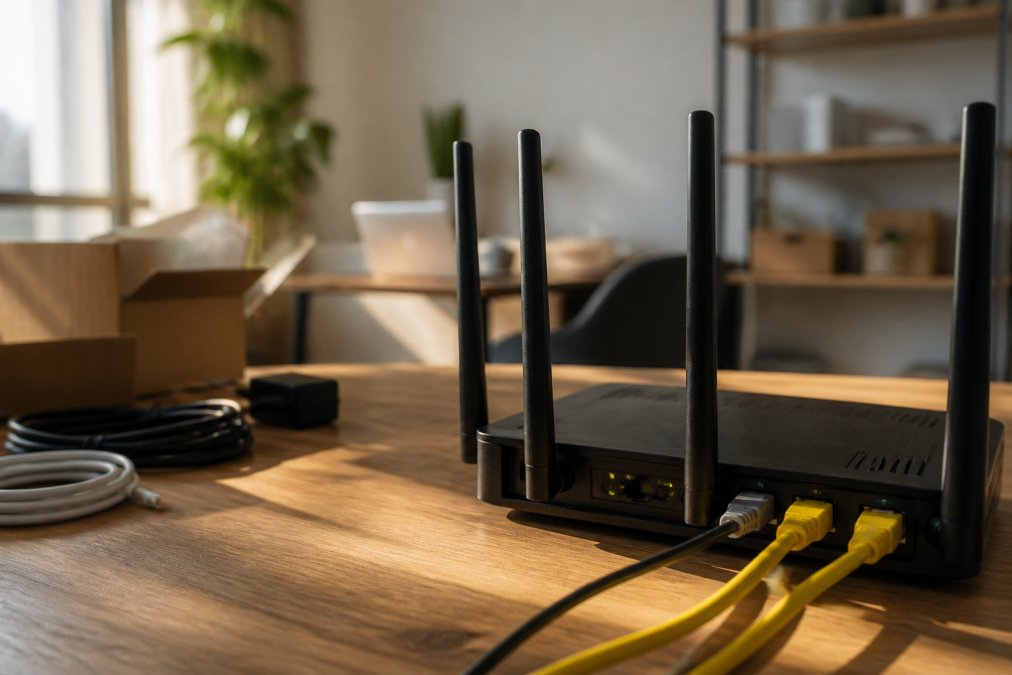
Router placement: Position your router centrally, elevated, and away from walls and metal objects. Walls reduce signal strength by 30-50%. Metal reduces it by 50-70%.
Network protocol: The wireless segment accounted for approximately 64% of the smart home market in 2025. Most devices use Wi-Fi, Bluetooth, or Zigbee. Wi-Fi is easiest to set up but uses more power. Zigbee and Bluetooth are power-efficient but require a separate hub.
Mesh Wi-Fi: If your home is larger than 3,000 square feet or has multiple floors, consider mesh Wi-Fi. Setup takes 30-45 minutes and eliminates dead zones.
Best Smart Home Gadgets for Beginners
Start simple. The best beginner setup includes a smart hub, a few smart lights, and one or two smart plugs.
Smart Hub or Gateway: This is your command center. Popular options include Amazon Echo, Google Home, or Apple HomePod. Setup takes 15-20 minutes. Cost ranges from $50-150.
Smart Lighting: Replace 2-3 bulbs in frequently used rooms. Smart bulbs pair with your hub in minutes. A starter kit costs $80-120.
Smart Plugs: Plug into any outlet to make a dumb device smart. Each plug costs $15-30 and pairs in under 5 minutes.
Smart Thermostat: A smart thermostat learns your schedule and adjusts temperature automatically. Installation takes 30-60 minutes if you're comfortable with wiring. Cost ranges from $100-300.
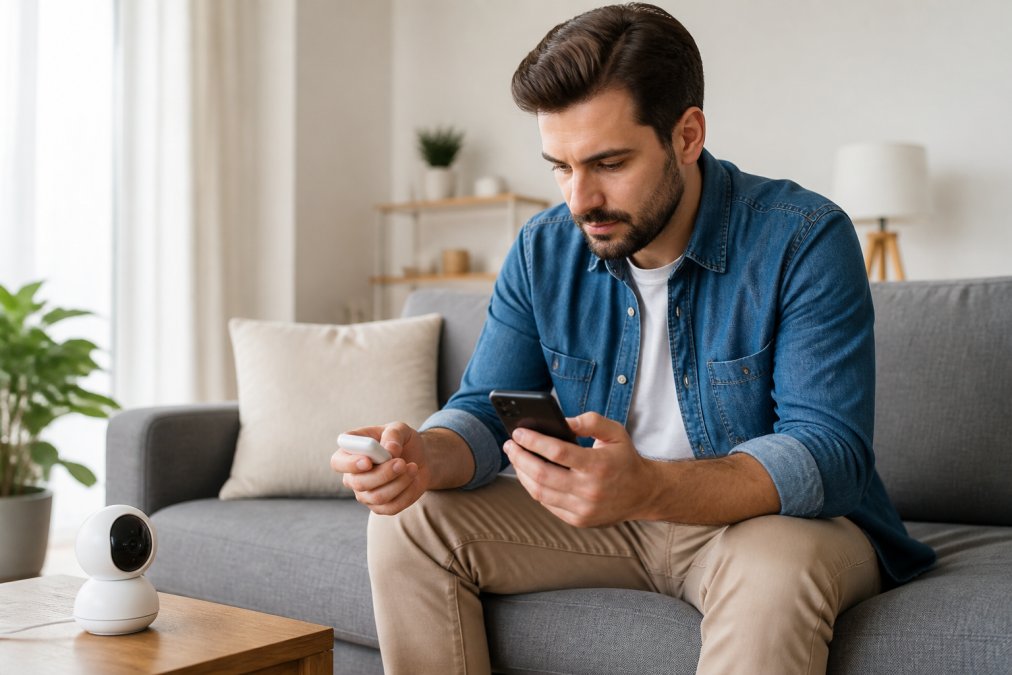
ShopVerse.life offers curated smart home devices that work together seamlessly. Our collection includes the Mini WiFi Camera 1080P HD, Indoor Security Cam with Night Vision, 2-Way Audio, Baby & Pet Monitoring ($22.18) for home monitoring and the Wake Up Light Sunrise Alarm Clock White Noise Sound Machine Bluetooth Speaker Color Changing Night Lights for Bedroom Ideal Gift ($51.54), both designed for easy setup and reliable performance.


Smart Home Setup Checklist
Use this checklist to plan your setup and track progress:
| Task | Time | Difficulty | Notes |
|---|---|---|---|
| Assess your Wi-Fi network | 15 min | Easy | Check signal strength in each room |
| Choose a smart hub | 30 min | Easy | Research compatibility with your devices |
| Set up the hub | 20 min | Easy | Download app, connect to Wi-Fi, create account |
| Add smart lights | 10 min per device | Easy | Pair each bulb individually |
| Add smart plugs | 5 min per device | Easy | Plug in, pair, assign to room |
| Set up automation routines | 30-60 min | Medium | Create "morning" or "away" scenes |
| Test all devices | 15 min | Easy | Confirm remote control works |
| Optimize network placement | 20 min | Medium | Move devices for better signal if needed |
- Test your home Wi-Fi speed and coverage
- Choose and purchase a smart hub
- Install the hub and connect to Wi-Fi
- Add 2-3 smart lights to your most-used room
- Add 1-2 smart plugs for testing
- Create one automation routine (e.g., "Good Morning" scene)
- Test all devices from another room
- Adjust device placement if any drop offline
- Document your setup (device names, passwords, network details)
- Plan your next expansion (thermostat, security, more lights)
Common Setup Challenges and How to Avoid Them
Nearly one-third (32%) of smart homeowners say smart devices are confusing to set up and/or use.
Challenge: Devices won't pair to your network.
Root cause: The device is too far from your router, your Wi-Fi password is wrong, or your router doesn't support the device's frequency band (2.4 GHz vs. 5 GHz).
Fix: Bring the device within 10 feet of your router during setup. Use 2.4 GHz Wi-Fi if your router supports dual-band. Double-check your password character by character.
Challenge: Devices drop offline randomly.
Root cause: Weak Wi-Fi signal, router reboots, or the device ran out of power.
Fix: Move the device closer to your router or add a mesh Wi-Fi node. Restart your router weekly by unplugging it for 30 seconds.
Challenge: Automation routines don't trigger.
Root cause: Your hub lost internet connection, the automation rule is misconfigured, or your location settings are wrong.
Fix: Confirm your hub has an internet connection. Verify your home location is set correctly. Test the routine manually to confirm it works.
Challenge: Too many apps, too much complexity.
Root cause: Buying devices from different manufacturers without considering ecosystem compatibility.
Fix: Choose a primary ecosystem (Amazon Alexa, Google Home, or Apple HomeKit) and prioritize devices that work natively within it. Half of smart homeowners wish they had access to a centralized view of their smart home devices, and 53% would like better technical support for setup and troubleshooting. Choosing a unified ecosystem addresses both.
:::takeaway The real issue with smart home setup isn't time, it's planning. Spending 30 minutes to choose compatible devices and assess your network prevents hours of troubleshooting later.
Setting up a smart home doesn't have to be complicated. Whether you choose wireless devices for speed or hardwired systems for reliability, the key is starting with a clear plan and choosing compatible devices. At ShopVerse.life, we curate smart home products that work together seamlessly, eliminating compatibility headaches. Our Mini WiFi Camera and Wake Up Light products are designed for straightforward setup, backed by 24/7 support and our 100% money-back guarantee. Start your smart home journey with confidence, explore our collection today and experience the difference thoughtful curation makes.
=== FAQ ANSWERS (audit these too, same rules) ===
[1] Q: What is needed to start a smart home? A: You need three essentials: a reliable Wi-Fi network with strong signal strength, a smart hub or gateway to coordinate device communication, and compatible devices (smart lighting, plugs, security sensors, or voice assistants). Most beginners start with one or two devices like a smart speaker or smart plug before expanding. A strong home network is foundational, it supports streaming, smart lighting, security systems, and all device integration. Ensure your Wi-Fi covers the areas where you plan to install devices for optimal connectivity and latency performance.
[2] Q: How long does it take to set up a smart home hub? A: A smart hub setup typically takes 15-30 minutes for initial configuration. This includes powering on the device, connecting it to your Wi-Fi network, downloading the companion app, and pairing it with your account. Most hubs guide you through pairing mode automatically. However, integrating multiple devices into the hub's ecosystem and setting up automation routines can add another 30 minutes to 1 hour depending on complexity. Wireless protocols like Zigbee or Z-Wave used by many hubs simplify device discovery, speeding up the overall process.
[3] Q: Do I need a professional to install smart home devices? A: Most smart home devices don't require professional installation. About 49% of homeowners prefer professionals for smart thermostats specifically, but wireless devices like smart lights, plugs, and security sensors are DIY-friendly. DIY deployments controlled 67.35% of the smart home market in 2025. However, hardwired systems, complex integrations, or whole-home automation setups benefit from professional help. Professionals can handle configuration, firmware updates, encryption setup, and ensure your entire ecosystem works seamlessly, though this costs more and takes 2-4 days versus 1-2 hours for wireless DIY setup.
[4] Q: What causes smart home setup delays? A: The biggest delays come from network connectivity issues, pairing failures, and device discovery problems. About 19% of smart home users experience setup and pairing difficulties, while 15% encounter software problems. Bandwidth limitations, latency spikes, or weak Wi-Fi signal strength in certain rooms slow down device integration and remote access configuration. Additionally, 28% of both adopters and non-adopters cite setup complexity as a deterrent. Fragmented ecosystems where devices don't interoperate also create troubleshooting time. A strong mesh network and careful device selection for interoperability eliminate most delays.
Frequently Asked Questions
Q: What is needed to start a smart home?
A: You need three essentials: a reliable Wi-Fi network with strong signal strength, a smart hub or gateway to coordinate device communication, and compatible devices (smart lighting, plugs, security sensors, or voice assistants). Most beginners start with one or two devices like a smart speaker or smart plug before expanding. A strong home network is foundational, it supports streaming, smart lighting, security systems, and all device integration. Ensure your Wi-Fi covers the areas where you plan to install devices for optimal connectivity and latency performance.
Q: How long does it take to set up a smart home hub?
A: A smart hub setup typically takes 15-30 minutes for initial configuration. This includes powering on the device, connecting it to your Wi-Fi network, downloading the companion app, and pairing it with your account. Most hubs guide you through pairing mode automatically. However, integrating multiple devices into the hub's ecosystem and setting up automation routines can add another 30 minutes to 1 hour depending on complexity. Wireless protocols like Zigbee or Z-Wave used by many hubs simplify device discovery, speeding up the overall process.
Q: Do I need a professional to install smart home devices?
A: Most smart home devices don't require professional installation. About 49% of homeowners prefer professionals for smart thermostats specifically, but wireless devices like smart lights, plugs, and security sensors are DIY-friendly. DIY deployments controlled 67.35% of the smart home market in 2025. However, hardwired systems, complex integrations, or whole-home automation setups benefit from professional help. Professionals can handle configuration, firmware updates, encryption setup, and ensure your entire ecosystem works seamlessly, though this costs more and takes 2-4 days versus 1-2 hours for wireless DIY setup.
Q: What causes smart home setup delays?
A: The biggest delays come from network connectivity issues, pairing failures, and device discovery problems. About 19% of smart home users experience setup and pairing difficulties, while 15% encounter software problems. Bandwidth limitations, latency spikes, or weak Wi-Fi signal strength in certain rooms slow down device integration and remote access configuration. Additionally, 28% of both adopters and non-adopters cite setup complexity as a deterrent. Fragmented ecosystems where devices don't interoperate also create troubleshooting time. A strong mesh network and careful device selection for interoperability eliminate most delays.
This article was written using GrandRanker