

Is It Safe to Use Smart Locks on Front Doors?
Table of Contents
- Are Smart Locks Safe? The Short Answer
- How Smart Locks Work and Why Security Matters
- Security Risks and How to Prevent Smart Lock Hacking
- Smart Lock vs Traditional Deadbolt Security
- Best Smart Locks for Home Security Features
- What Happens When Power or Internet Fails
- Installation and Physical Security Considerations
- Conclusion: Making the Right Choice for Your Home
Last Updated: August 26, 2026
Are Smart Locks Safe? The Short Answer
Yes, modern smart locks are safe on front doors when properly installed and maintained. High-quality smart locks incorporate encryption, two-factor authentication, and mechanical reinforcement that often exceed traditional deadbolt security. Safety depends on three critical factors: the lock's security architecture, installation practices, and access credential management.
The global smart lock market reached $4.0 billion in 2026, reflecting growing consumer confidence. Manufacturers now apply cybersecurity standards similar to banking apps to home access devices. Yet rapid adoption has exposed real vulnerabilities: firmware flaws, weak credential management, and improper installation remain common failure points.
This guide from ShopVerse.life covers everything you need to know about evaluating smart lock safety. We'll examine how modern locks protect your home, specific security risks, and installation standards that separate genuinely secure systems from vulnerable ones.
How Smart Locks Work and Why Security Matters
Smart locks combine digital authentication with mechanical locking. When you unlock via app, PIN, or biometric scan, the lock's microprocessor validates credentials against encrypted data stored locally or in the cloud. If authentication succeeds, an electronic motor releases the deadbolt. Most models retain a mechanical keyhole as backup.
The security architecture involves three interconnected systems: the authentication layer (how the lock verifies your identity), the communication layer (how your phone reaches the lock), and the mechanical layer (physical deadbolt reinforcement). Weakness in any layer compromises the whole system.
Encryption and Authentication Standards
Most current smart locks use AES-128 encryption or stronger, the same standard protecting financial transactions and government communications (nist.gov). This scrambles your PIN or biometric data during transmission between your phone and lock.
Two-factor authentication requires proof of two different things: something you know (a code) and something you have (your phone). An attacker would need both your PIN and phone access to break in. By 2026, smart locks feature stronger encryption, two-factor authentication, and advanced firmware protection. Some include real-time security monitoring that alerts you immediately to tampering or override attempts.
Real-Time Notifications and Access Logs
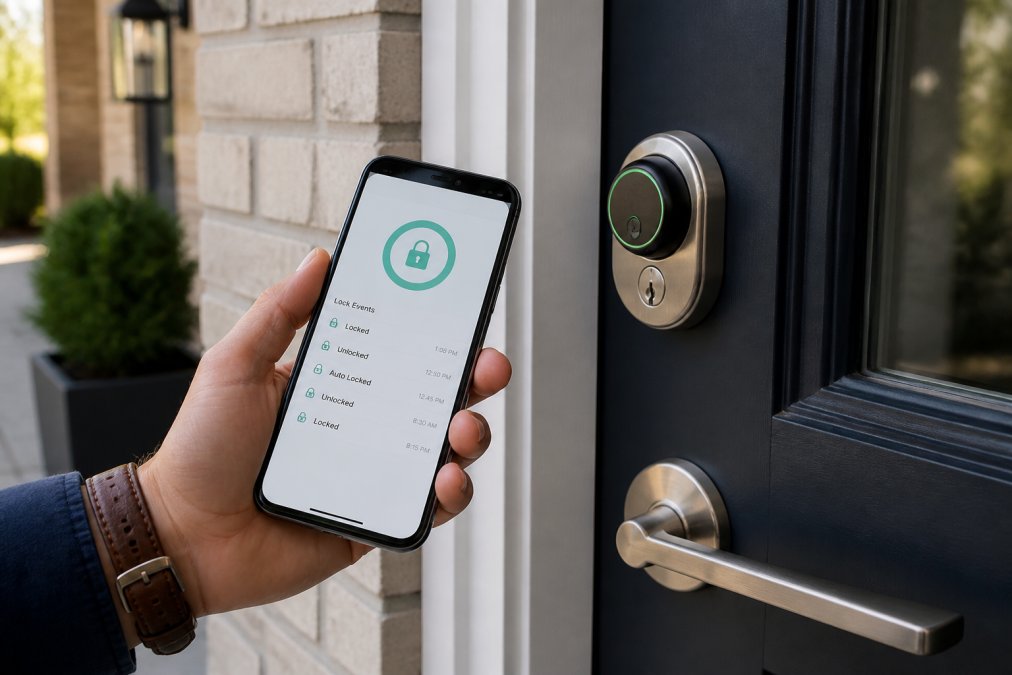
Smart locks maintain detailed access logs showing who entered, when, and how. This creates an audit trail impossible with traditional keys. Real-time notifications alert you instantly when the door is unlocked, so you'll know if your teenager arrived home or if someone attempts unauthorized access.
Access logs help manage guest permissions precisely. Instead of giving a physical key, issue a temporary PIN that expires after a set date. When the guest leaves, revoke their access instantly, no lock rekeying required.
Security Risks and How to Prevent Smart Lock Hacking
Smart locks face specific security threats that traditional locks don't encounter. Understanding these risks and their countermeasures is essential to safe operation.
Firmware Vulnerabilities and Updates
Firmware is the software running inside your smart lock. Like any software, it can contain security flaws. In August 2026, a vulnerability (CVE-2026-75960) was reported in Rently Smart Home versions 20.1.0 and prior, allowing attackers to retrieve PINs and override user permissions (cve.mitre.org).
This illustrates why firmware updates matter. Manufacturers release updates to patch flaws before attackers exploit them at scale. Check your lock manufacturer's update schedule before purchasing. Set your lock to update automatically if possible.
Credential Theft and Two-Factor Authentication
Credential theft occurs when attackers obtain your PIN or app credentials through phishing or network interception. A stolen PIN alone shouldn't grant access if two-factor authentication is enabled, the attacker would also need your phone.
Many users disable two-factor authentication for convenience, a critical mistake. The friction of an extra step protects you far more than the convenience cost. Avoid reusing PINs across locks or sharing them via text or email.
Biometric authentication (fingerprint or facial recognition) adds a layer that credential theft alone cannot bypass. By 2026, biometric authentication is becoming standard on mid-range and premium smart locks, offering spoof resistance that makes bypass attempts significantly harder.
Smart Lock vs Traditional Deadbolt Security
Traditional deadbolts offer simplicity and no digital attack surface. However, they're vulnerable to physical attacks: lock picking, bump keys, and forced entry through door frame failure. A determined attacker with basic tools can bypass most traditional locks in under five minutes.
Smart locks introduce digital vulnerabilities but add protections traditional locks cannot provide. They log every access attempt, alert you to tampering, and allow instant access revocation without rekeying. A smart lock with proper two-factor authentication, encryption, and regular updates is harder to breach than a traditional lock because attackers must succeed against multiple security layers simultaneously. steel door security.
Smart locks' security advantage emerges over time. If your physical key is lost, you must rekey the entire lock, expensive and time-consuming. If your smart lock PIN is compromised, you change it instantly from your phone. This flexibility makes smart locks superior for most modern homes.
However, smart locks' security is only as strong as your practices. A premium smart lock paired with weak PIN management, disabled two-factor authentication, or ignored firmware updates is less secure than a basic traditional deadbolt properly maintained.
Best Smart Locks for Home Security Features
When evaluating smart locks, focus on three criteria: encryption strength, authentication options, and mechanical reinforcement.
Deadbolt Smart Locks with Physical Reinforcement
Deadbolt smart locks offer the highest physical security because they engage a reinforced bolt that extends deep into the door frame. The deadbolt segment is projected to account for 43.7% of the market share in 2026, reflecting their popularity among security-conscious homeowners.
Deadbolt smart locks combine electronic authentication with a heavy-duty mechanical bolt. Even if an attacker bypasses the digital lock, they still face a physical barrier. The strike plate must be properly installed with long screws anchoring into frame studs, not just door trim.
Look for deadbolts with reinforced strike plates designed to resist forced entry. The plate should be at least 3 inches long and secured with 3-inch screws that penetrate into the frame. Many installation failures occur because installers use short screws that don't reach the structural frame.
ShopVerse.life carries curated smart locks meeting these reinforcement standards, including models with 256-bit encryption, automatic locking after 30 seconds, and anti-peeping technology. Consider the Mini WiFi Camera 1080P HD, Indoor Security Cam with Night Vision, 2-Way Audio, Baby & Pet Monitoring for $22.18, which offers a strong solution for home monitoring and security. [https://shopverse.life/products/mini-wifi-camera-1080p-hd-indoor-security-cam-with-night-vision-2-way-audio-baby-pet-monitoring]

Keyless PIN and Biometric Options
The keyless PIN segment is expected to capture 35.3% of the market share in 2026, driven by ease of use and flexible access management.
Biometric authentication eliminates the PIN vulnerability entirely. You cannot forget your fingerprint or lose it to social engineering. Biometric locks are harder to spoof than PINs, though not impossible with sophisticated attacks. For most households, a combination approach works best: a primary biometric or PIN method for daily use, plus a backup mechanical key for emergencies.
What Happens When Power or Internet Fails
Smart locks require power to function. Most use rechargeable batteries lasting 6-12 months between charges (the FTC). When the battery dies, the lock cannot engage the electronic motor, but a physical keyhole allows manual unlocking. This fail-safe prevents you from being locked out.
Internet connectivity is separate from lock operation. Smart locks store authentication credentials locally, not in the cloud. Your phone communicates directly with the lock via Bluetooth, not through internet servers. Your lock functions without internet, you just lose remote access and real-time notifications until connectivity is restored.
Some features depend on cloud connectivity: access logs stored in the cloud, remote unlocking from outside Bluetooth range, and smart home integration. If your internet is down, these features become unavailable, but basic lock operation continues.
Test your lock's battery status monthly using the manufacturer's app. Most locks alert you when battery drops below 20%, giving you weeks to replace batteries before failure.
Installation and Physical Security Considerations
Installation quality determines whether your smart lock's security features actually protect you. A poorly installed smart lock is vulnerable to forced entry through the door frame, negating all digital security measures.
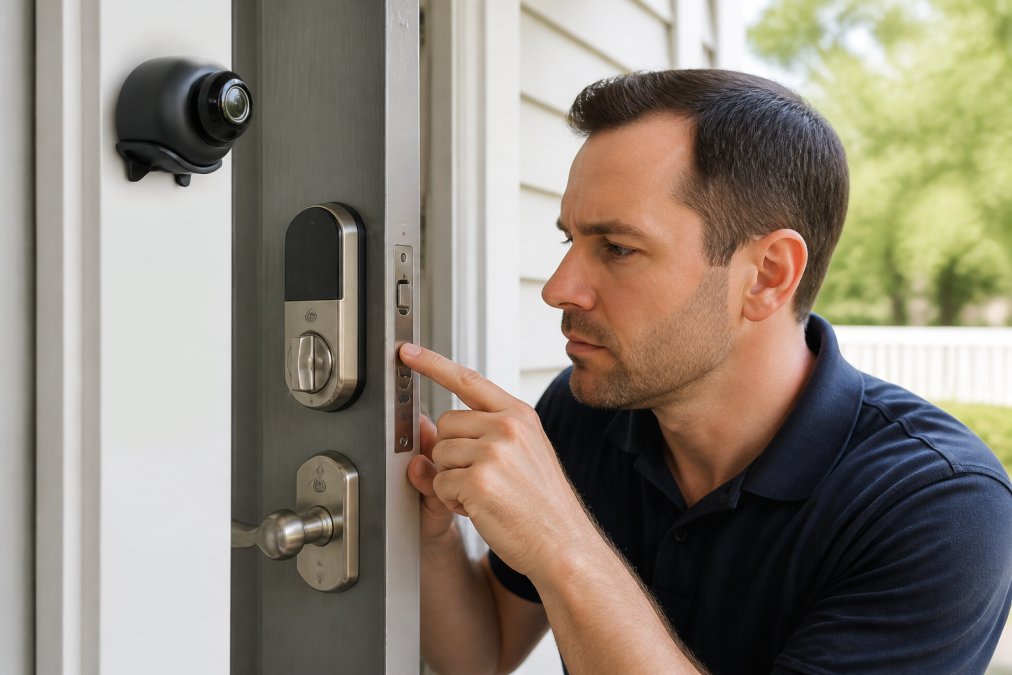
The door frame strike plate is where most installations fail. The strike plate must be secured with long screws (minimum 3 inches) that penetrate through the door frame into wall studs. Short screws that only reach door trim provide almost no resistance to forced entry.
Before installation, inspect your door frame for damage, warping, or gaps. If the frame is compromised, the lock cannot function securely. A professional installer will identify frame issues and recommend repairs before proceeding.
The deadbolt must fit properly in the door. Gaps between the lock and door, or misalignment between the deadbolt and strike plate opening, create vulnerabilities. The bolt should slide smoothly without binding.
Backup access methods should be tested immediately after installation. Confirm that the physical key works smoothly, test emergency power ports, verify guest codes work, and confirm you can revoke them through the app.
| Installation Element | What to Check | Why It Matters |
|---|---|---|
| Strike plate screws | Minimum 3 inches long, anchoring into frame studs | Short screws allow frame to splinter under force |
| Door frame condition | No warping, gaps, or previous damage | Compromised frames defeat lock security |
| Deadbolt alignment | Smooth operation, no binding or resistance | Misalignment weakens mechanical security |
| Backup access | Physical key or emergency power tested | Ensures you're not locked out during failure |
| Automatic locking | Enabled and tested after 30 seconds | Prevents accidental unlocked door |
DIY installation saves money but introduces risk if unfamiliar with door frame anatomy. If you choose DIY, use a level to confirm the lock is straight and test the strike plate fit multiple times before final installation.
Smart locks are safe on front doors when you understand their security architecture, install them properly, and maintain them actively. The combination of encryption, two-factor authentication, and mechanical reinforcement creates a security profile superior to traditional locks in most scenarios. However, this security depends on your practices: regular firmware updates, strong PIN management, proper installation, and backup access methods all matter equally.
ShopVerse.life offers curated smart lock options vetted for encryption strength, authentication flexibility, and mechanical durability. Our selection includes models with automatic locking, real-time tamper alerts, and emergency backup access, features that separate genuinely secure systems from convenient but vulnerable ones. Explore our collection of top-rated smart locks and find the right balance of security and convenience for your home. With ShopVerse.life, you get fast shipping, secure payments, and our money-back guarantee on every purchase.
=== FAQ ANSWERS (audit these too, same rules) ===
Frequently Asked Questions
Can smart locks be hacked by unauthorized users?
Smart locks with AES-128 encryption and two-factor authentication are extremely difficult to hack. However, vulnerabilities can exist in firmware or mobile applications. In August 2026, a credential theft vulnerability (CVE-2026-75960) was reported in some smart home systems, allowing attackers to retrieve PINs. Keeping your lock's firmware updated and using strong, unique passwords significantly reduces hacking risk. Most high-quality smart locks incorporate cybersecurity standards similar to banking apps, making them more secure than traditional locks against digital attacks.
What should I look for in the best smart locks for home security?
The best smart locks for home security combine multiple authentication methods: biometric options like fingerprint or facial recognition, keyless PIN codes, and mechanical override keys. Look for deadbolt smart locks with reinforced strike plates and tamper alerts that notify you of attempted break-ins. Choose locks with two-factor authentication, real-time access logs showing who entered and when, and emergency power supply options. The deadbolt segment accounts for 43.7% of the market share due to superior physical security, while keyless PIN systems capture 35.3% for their ease of use and flexibility.
How do smart locks compare to traditional deadbolts in terms of safety?
Smart locks offer enhanced security compared to traditional deadbolts in several ways: they prevent lost keys, unauthorized key duplication, and forgotten keys entirely. They provide real-time notifications about door status and access logs for accountability. However, traditional deadbolts have no digital vulnerabilities or battery dependencies. The ideal approach combines both: a smart deadbolt with physical reinforcement and mechanical override capability addresses the strengths of each. Smart locks with proper installation and firmware maintenance typically provide superior overall security for modern homes.
Do smart locks work if the power or internet goes out?
Quality smart locks include emergency power supply options and mechanical override capabilities. Most operate on battery power (typically lasting 6-12 months) and can still lock and unlock mechanically using a physical key even if batteries are depleted. Some models include backup codes or mobile app access through a local connection if your Wi-Fi is down. However, remote access and real-time notifications require internet connectivity. Always verify that your chosen smart lock has a physical key override and sufficient battery life for your household's needs.
What are the main security risks of smart door locks?
Primary security risks include firmware vulnerabilities, credential theft through insecure mobile apps, and physical tampering with the lock mechanism or door frame. Weak passwords and lack of two-factor authentication increase hacking risk. Poor installation, such as inadequate strike plate reinforcement, can compromise physical security. Battery failure can lock you out if no backup access method exists. Privacy concerns also arise from access logs stored in the cloud. Mitigate these risks by choosing locks with strong encryption, keeping firmware updated, using two-factor authentication, and ensuring professional installation with proper door frame reinforcement.
This article was written using GrandRanker