

Automate Home Security for Renters: A 2026 Guide
Table of Contents
- Why Renters Need Automated Home Security
- Best Apartment Security Systems No Drilling Required
- Renter-Friendly Smart Home Gadgets for Security
- How to Secure a Rental Apartment Windows and Doors
- Step-by-Step Installation Without Lease Violations
- Privacy and Data Security for Renter Systems
- Common Mistakes to Avoid
- Conclusion
Last Updated: August 28, 2026
Why Renters Need Automated Home Security
Renters face a unique security challenge: they can't permanently modify their living spaces, yet they need the same protection homeowners expect. Traditional security systems require drilling, professional installation, and long-term contracts, none of which work for someone renting month-to-month or year-to-year.
Security camera adoption among renters jumped from 42% in 2024 to 54% in 2026, a 12-percentage-point gain SafeHome.org 2026 Home Security Market Report, driven largely by wireless, battery-powered options that require no landlord permission. This shift reflects a fundamental truth: renters aren't willing to sacrifice security just because they don't own the property.
The appeal goes beyond peace of mind. According to Parks Associates research on renter preferences, 60% of renters stated that preinstalled security and smart home devices made a rental more appealing. Even more striking, 65% of renters are willing to pay extra monthly rent for smart amenities, with 52% comfortable paying over $20 per month more.
Smart home security technology ranks higher in renters' sense of safety (36%) than traditional factors like neighbors (28%) or on-site security staff (25%) (parksassociates.com). This guide from ShopVerse.life covers how to automate home security for renters using equipment you can install yourself, configure from your phone, and remove without damaging the property. Below, we'll show you exactly how to build a renter-friendly security system that actually works.
Best Apartment Security Systems No Drilling Required
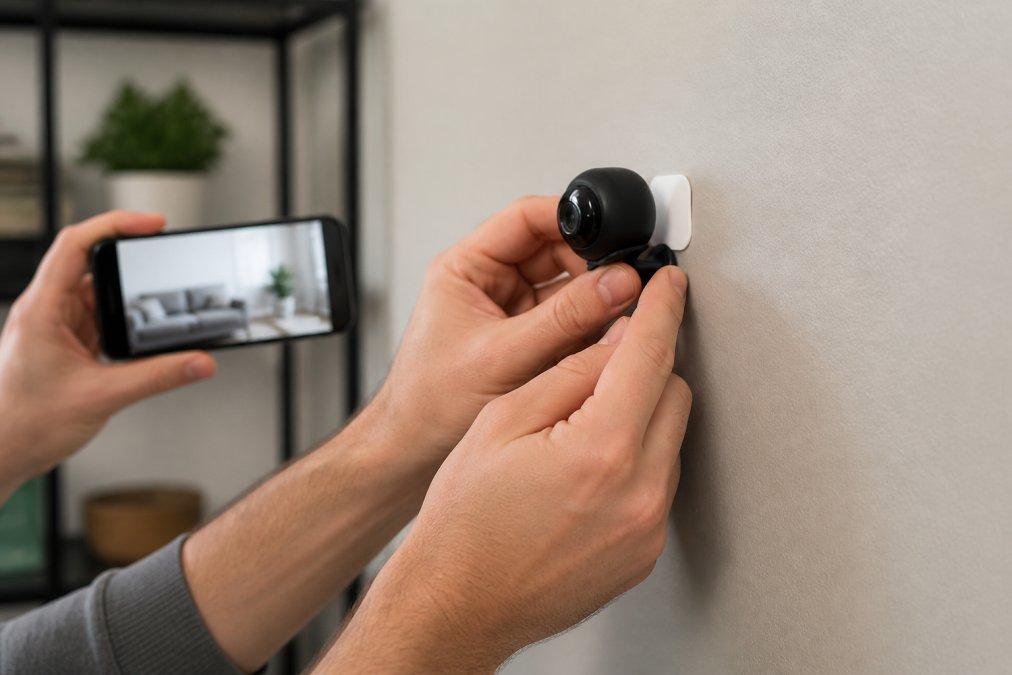
No-drill security systems eliminate the biggest barrier renters face: landlord permission. These systems use adhesive mounting, magnetic bases, or freestanding designs that leave zero permanent marks. They're also contract-free, meaning you pay monthly or annually without long-term commitments.
The best apartment security systems for renters share common traits: wireless operation, battery power or plug-in options, mobile app control, and real-time alerts. Most integrate with voice assistants like Alexa or Google Home, letting you arm/disarm systems hands-free or check feeds from anywhere.
Wireless Cameras and Video Doorbells
Wireless cameras dominate renter security for good reason. They mount in seconds, operate on rechargeable batteries or plug into outlets, and transmit footage directly to your phone. Video doorbells serve dual purpose: they replace your existing doorbell (no wiring required) and provide 24/7 monitoring of who's approaching your unit.
Look for cameras with 2K resolution or higher, night vision, two-way audio, and cloud storage options. The Mini WiFi Camera 1080P HD from ShopVerse.life ($22.18) delivers solid performance at an accessible price point. It offers night vision, two-way audio for communicating with visitors or pets, and direct mobile app control, all the essentials renters need without the premium price tag of enterprise systems.

Key features to prioritize:
- Battery life of 3-6 months between charges
- Weatherproof rating (IP65 or higher) for exterior mounting
- Local storage option (microSD card) plus cloud backup
- Two-way audio for real-time communication
- Motion detection with customizable sensitivity
:::pro Adhesive-mounted cameras work best on smooth, clean surfaces. Clean the wall with rubbing alcohol before installation, wait 24 hours for the adhesive to fully cure, and avoid high-traffic areas where someone might bump the camera. :::
Smart Door Locks and Entry Sensors
Smart locks eliminate the need for traditional keys while giving you remote access control. Renters can install keypad locks or temporary smart locks that attach magnetically or adhesively to existing deadbolts, no permanent modification required.
Entry sensors pair with smart locks to create a complete access monitoring system. These small wireless sensors detect when doors or windows open, triggering alerts on your phone and logging access times. Combined with a smart lock, entry sensors create a comprehensive picture of who's entering your space and when.
Compatibility matters. Most smart locks work with voice assistants and mobile automation apps, but verify they integrate with your chosen security hub (if using one). Many renters prefer standalone systems that don't require a hub, they work independently and send alerts directly to your phone.
Renter-Friendly Smart Home Gadgets for Security
Beyond cameras and locks, portable smart devices extend your security coverage without requiring installation expertise or landlord approval.
Portable Motion Sensors and Alarms
Motion sensors detect movement in specific areas, hallways, bedrooms, living rooms, and trigger immediate alerts. Wireless motion sensors mount on shelves or walls using adhesive strips and run on AA batteries for months between replacements. Some integrate with smart lighting to automatically turn on lights when motion is detected, deterring intruders and improving visibility.
Portable alarms serve as a secondary layer. Window and door alarms use vibration or open-close sensors to trigger loud alerts (100+ decibels) if someone tries to force entry. These battery-powered devices cost $10-30 each and require no installation beyond placing them on windowsills or door frames.
Smart Lighting and Voice Control
Smart bulbs and plugs add a security dimension most renters overlook. Programmable lighting creates the appearance of occupancy, lights turn on and off on schedules mimicking your normal routines, making empty apartments look lived-in. Motion-activated smart lights turn on automatically when you enter dark spaces, improving safety and visibility.
Voice control integration lets you control your entire security system through Alexa, Google Assistant, or Apple Siri. Arm cameras, lock doors, and trigger alarms using voice commands, even when your hands are full or you're away from your phone.
How to Secure a Rental Apartment Windows and Doors
Windows and doors represent 80% of break-in points. Renters can't install security bars or reinforced frames, but they can use smart sensors, portable locks, and window film to significantly improve security.
Entry sensors on every external door and accessible window create a comprehensive alert system. When a door or window opens, you receive an instant notification. Many systems log access times, showing you exactly when entry occurred and who accessed it (if paired with a smart lock).
Window security film makes glass harder to break through, delaying forced entry long enough for authorities to respond. The adhesive film applies to the interior surface and requires no permanent installation, you can remove it when you move without damaging the window.
Portable door locks and wedge-shaped door stops prevent forced entry even if someone has a key. These mechanical devices work independently of any smart system, providing a physical backup to electronic locks.
Step-by-Step Installation Without Lease Violations
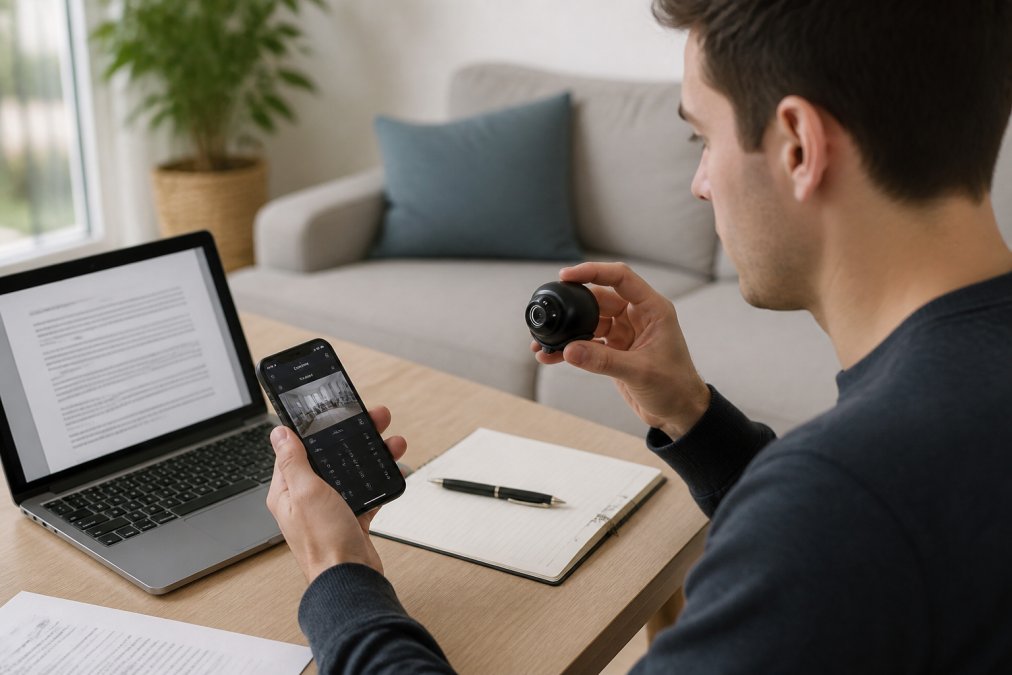
Assess Your Lease and Communicate with Your Landlord
Before installing anything, review your lease for security system restrictions. Most leases prohibit drilling, nailing, or permanent modifications, but many allow adhesive mounting and temporary devices. Some landlords appreciate tenants improving security, they may even offer to reimburse equipment costs or provide pre-installed systems.
Send your landlord a brief email explaining what you're installing and why. Frame it as improving property security, not circumventing their authority. Most landlords respond positively to transparent communication, and some may suggest they'll install systems themselves, offsetting your costs.
Key lease language to check:
- Restrictions on wall modifications or mounting
- Requirements for landlord approval of security devices
- Policies on smart home technology integration
- Rules about removing adhesive or temporary installations
Choose Adhesive Mounting and Portable Solutions
Adhesive strips, magnetic mounts, and freestanding designs keep your security system completely removable. 3M Command strips hold surprising weight (up to 16 pounds for heavy-duty strips) and leave no residue when removed properly. Magnetic mounts work on metal surfaces like filing cabinets or metal door frames.
For cameras, position them at entry points and common areas where they're most effective. Doorbell cameras replace existing doorbells without requiring new wiring. Interior cameras mount on shelves, nightstands, or bookcases, they don't need wall mounting at all.
Smart locks mount on top of existing deadbolts using adhesive or magnetic attachments. Keypad locks replace your existing lock temporarily without removing the original. Entry sensors stick to door frames and window sills, taking seconds to install and seconds to remove.
Set Up Mobile App Control and Real-Time Alerts
Most modern security systems work through dedicated mobile apps. Download the app, create an account, and follow the pairing process to connect each device. This typically involves scanning a QR code on the device, connecting to your Wi-Fi, and granting app permissions.
Configure real-time alerts for critical events: doors opening, motion detected, cameras going offline. Set different alert levels for different times, aggressive alerts during work hours, relaxed alerts during home hours. Most apps let you customize notification frequency to avoid alert fatigue.
Test your system thoroughly before relying on it. Trigger motion sensors, open monitored doors, and verify that alerts arrive within seconds. Check that you can access camera feeds from outside your apartment using mobile data (not just Wi-Fi). Confirm that voice commands work and that your system integrates properly with other smart home devices.
Privacy and Data Security for Renter Systems
Smart security systems collect sensitive data: video footage, access logs, location information. Renters need to understand where this data goes and who can access it.
Choose systems with local storage options, cameras that record to microSD cards or dedicated local drives rather than relying entirely on cloud storage. Local storage keeps footage on your device, accessible only through your app and password. Cloud storage offers convenience (access from anywhere) but introduces privacy risks if the cloud provider is breached or if your account is compromised.
Review privacy policies carefully. Some manufacturers sell anonymized footage data to third parties. Others use footage for AI training. Opt for services that explicitly prohibit these practices and allow you to delete footage on demand.
Two-factor authentication protects your security accounts from unauthorized access. Enable it on every security app and cloud service. Use unique, complex passwords for each account, a password manager like Bitwarden or 1Password makes this manageable.
When you move, delete all footage and reset devices to factory settings before removing them. This prevents new residents or landlords from accessing your historical data.
Common Mistakes to Avoid
Poor Wi-Fi placement undermines wireless security systems. Cameras and sensors need strong Wi-Fi signals to function reliably. If your router is on one side of your apartment and cameras are on the opposite side, expect connection drops and missed alerts. Position your router centrally or use Wi-Fi extenders to ensure consistent coverage throughout your rental.
Ignoring battery levels causes system failures at critical moments. Set calendar reminders to check battery status monthly. Replace batteries before they die completely, most devices warn you when batteries are low, but waiting until the last moment risks gaps in coverage.
Overcomplicating your system leads to abandonment. Start with essentials: one camera at your main entry, one entry sensor on your bedroom door, one smart lock if you have multiple people accessing your space. Add devices gradually as you understand how your system works and what additional coverage you actually need.
Forgetting to test your system before relying on it is a costly mistake. Verify that mobile alerts work, that you can access footage from outside your apartment, and that all devices connect reliably before treating your system as your primary security layer.
Neglecting lease compliance creates conflict with landlords. Even if your lease doesn't explicitly prohibit smart security devices, adhesive mounting, or wireless systems, assume your landlord prefers minimal modifications. Use the least invasive installation methods available, and be prepared to remove everything when you move.
Automating home security for renters doesn't require landlord permission, permanent modifications, or expensive professional installation. Wireless cameras, smart locks, and entry sensors create comprehensive protection using only adhesive mounting and portable hardware. ShopVerse.life offers curated security devices like the Mini WiFi Camera 1080P HD ($22.18), featuring night vision, two-way audio, and mobile app control, specifically designed for renters who need professional-grade security without the landlord headaches. Start with your main entry point, add sensors to vulnerable windows, and build from there. Your security system should be as portable as you are.
| Component | Best For Renters | Key Benefit |
|---|---|---|
| Wireless cameras | Entry monitoring | No drilling, battery-powered, portable |
| Smart door locks | Access control | Keyless entry, remote locking, audit logs |
| Entry sensors | Window/door alerts | Immediate notifications, battery-operated |
| Motion sensors | Interior coverage | Detects movement, triggers lights/alerts |
| Smart lighting | Occupancy appearance | Deters intruders, improves visibility |
| Video doorbells | Visitor screening | Replaces existing bell, 24/7 monitoring |
Frequently Asked Questions
What is the best security system for apartment renters?
The best security system for renters combines portability, no-drill installation, and lease compliance. Wireless cameras (like the Mini WiFi Camera 1080P HD at $22.18), smart door locks, and entry sensors work well because they require no permanent modifications. Look for systems with mobile app control, real-time alerts, and no long-term contracts. A 2026 survey found 54% of renters own security cameras, with wireless, battery-powered options driving adoption. Choose systems that integrate with your existing smart home ecosystem for easier automation.
Can I install a doorbell camera in an apartment without permission?
Video doorbells can be installed in most apartments using adhesive mounting or temporary fixtures, but always check your lease first. Many landlords now recognize that renters want security cameras, 60% said preinstalled smart devices made a rental more appealing. The safest approach is to communicate with your landlord before installation. Use non-permanent mounting methods, and document what you install so you can remove it before moving. Avoid hidden cameras, which could violate tenant privacy rights and lease agreements.
How much will automated home security cost me as a renter?
Costs vary widely. A single wireless camera costs as little as $22.18 (like ShopVerse.life's Mini WiFi Camera). A complete renter-friendly system with cameras, smart locks, sensors, and monitoring might run $200-$500 upfront. Monthly subscription fees for professional monitoring range from $10-$30, though many systems offer free self-monitoring via mobile apps. A 2025 survey found 65% of renters are willing to pay extra monthly rent for smart amenities, with 52% comfortable paying over $20 per month more. Renting equipment can be expensive long-term, eight months of $50 monthly rental payments equal the cost of owning a $400 camera outright.
What smart home devices work best for renters without Wi-Fi issues?
In multi-unit buildings, Wi-Fi connectivity can be unreliable. Choose devices with strong mesh network support, or position your router centrally. Battery-powered devices with low bandwidth requirements (like door sensors and motion detectors) work better than high-bandwidth cameras in weak signal areas. Some systems offer local storage options, which don't rely on cloud connectivity for recording. Test your Wi-Fi speed before buying, most smart security cameras need at least 2.5 Mbps upload speed. Consider a Wi-Fi extender or mesh system if your apartment has dead zones.
This article was written using GrandRanker